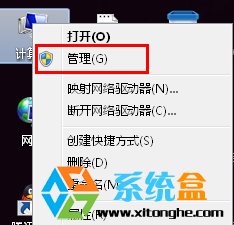
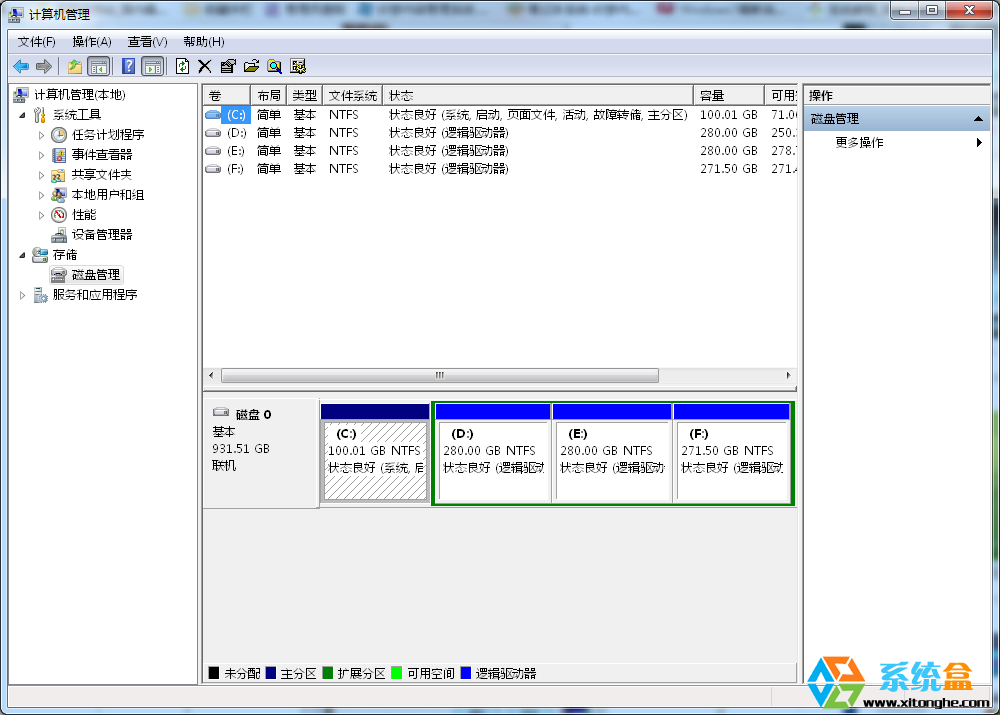
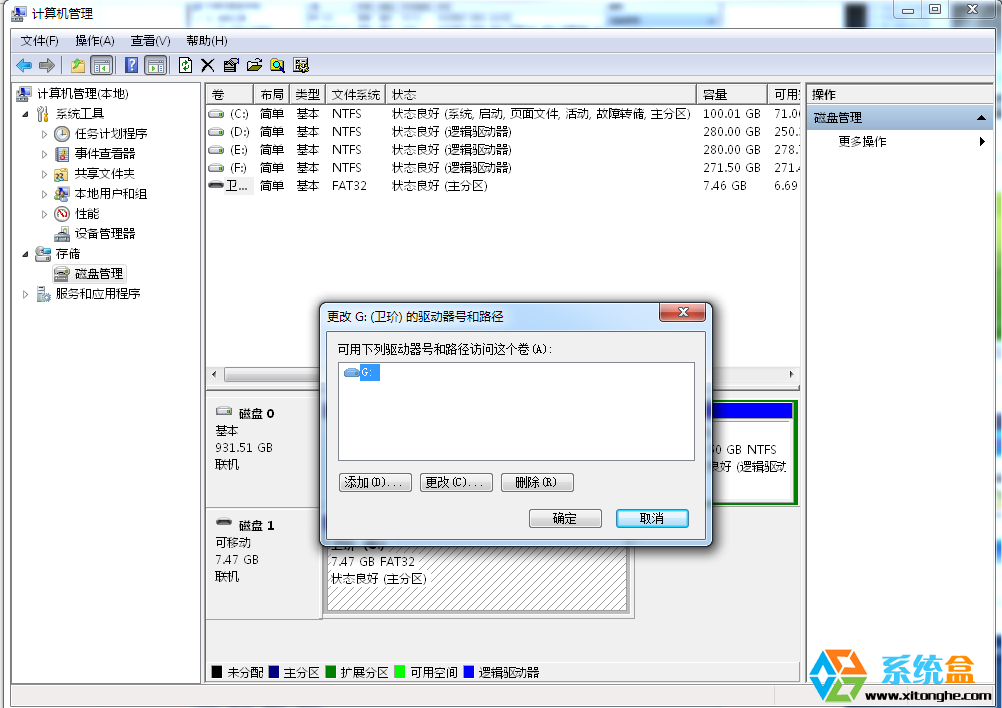
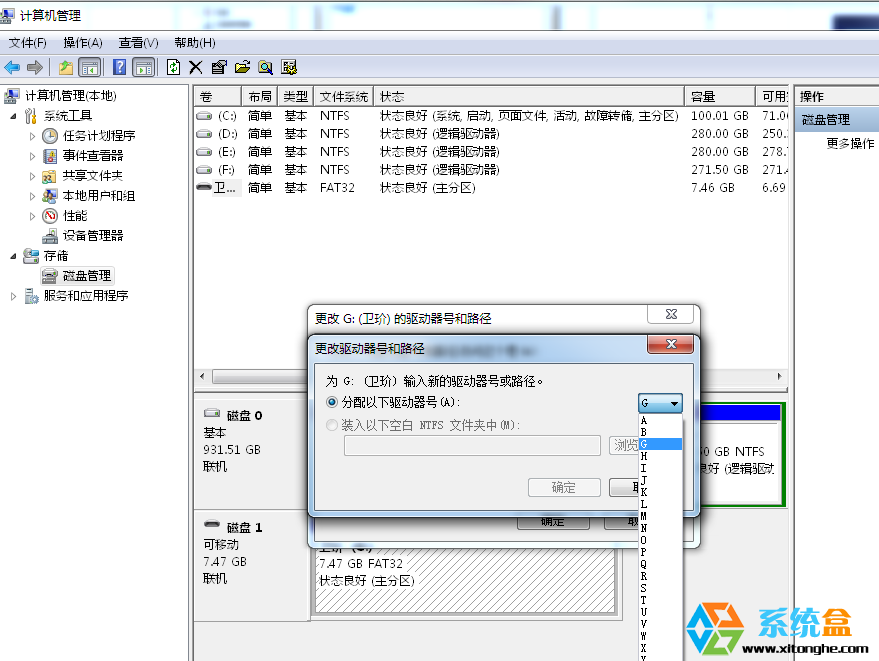
Win7 存取 USB 隨身碟出現「I/O 裝置錯誤」,若確認隨身碟無實體損壞,可嘗試重新指派磁碟代號修復邏輯衝突:
原理: 磁碟代號衝突或登錄殘留導致邏輯存取失敗,重新指派代號可重建正確掛載關係。若隨身碟有實體損壞(掉落、進水等),此法無效,需尋求專業資料救援。
Win8 如何依照解析度排序圖片?資料夾檢視設定完整教學
Win10 Build 10532 vs 10525 差異在哪?無新功能、修正 Bug、右鍵選單與 Edge 微調
Win7 USB 連接埠無反應?裝置管理員逐一解除安裝 USB 控制器 → 重開機自動重裝驅動 + 排除 update.exe 異常程序
Win10 升級提示圖示怎麼關閉?三大法:結束程序、替換資料夾、解除安裝 KB3035583 並停用更新服務
Windows 8 藍牙滑鼠頻斷線?關閉電源管理「允許電腦關閉裝置」徹底解決
Win7 電腦突然沒聲音?五大故障原因與對應解法全攻略
Win7 exFAT 格式隨身碟無法寫入檔案?chkdsk 修復檔案系統教學
Windows 8 運行大型軟體提示虛擬記憶體不足?原因分析與設定指引