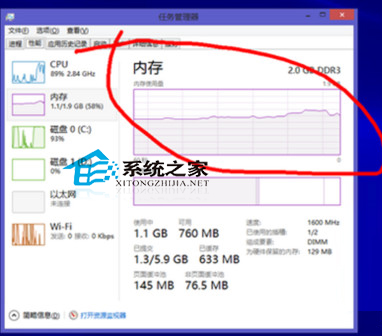
使用 AutoCAD 等大型軟體時出現「虛擬記憶體不足」,核心原因有二:
解決方案請參考《合理設定虛擬記憶體,提升 Windows 8 流暢度》教學,依實體記憶體大小調整分頁檔參數;長期對策建議升級實體記憶體。
Windows 7 如何優化音樂播放效果?內建「消除人聲/變調/環境/均衡器」打造居家 KTV 體驗
解決 Windows 7 小喇叭紅叉、提示「揚聲器/耳機已拔出」:Realtek 音訊管理器設定修復
Windows 8 系統還原完整教學:建立還原點、還原系統、擴充保護至其他磁碟
Win10 安裝與升級完整指南:推送升級、ISO/U 盤安裝、官方工具、MD5 驗證、磁碟清理
Win8 開機顯示「正在嘗試修復」兩大解決方案
Win8 如何更改標題列字型大小與顏色?透過控制台「顯示」設定自訂
XP 瀏覽網頁彈出「SysFader: IEXPLORE.EXE」錯誤?重新註冊 DLL 並重設 IE 修復
盜版 Win XP/Win7 升級 Windows 10 詳情:官方政策、實測狀況、洗白風險、合法化建議