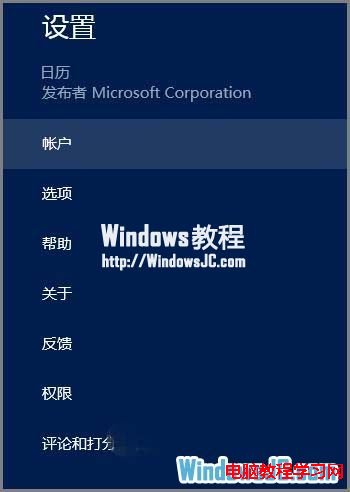
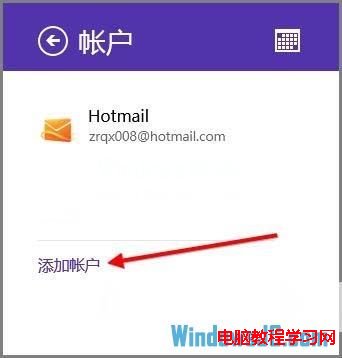
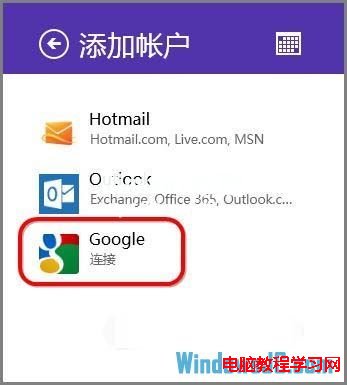
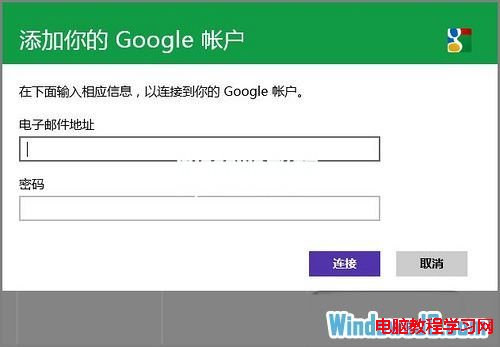
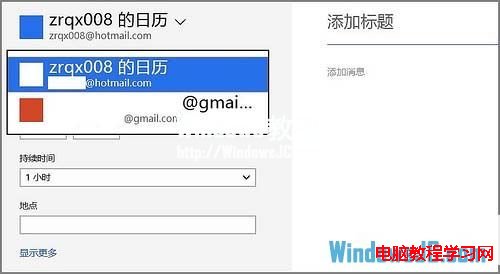
Windows 8 內建「行事曆」應用支援 Hotmail/Outlook/Google 帳號同步,可在 Metro 介面管理行程並自動雙向同步至 Google Calendar。
同步頻率約每 15-30 分鐘一次,亦可在帳戶設定中手動同步。若遇同步失敗,嘗試移除帳戶重新新增,或檢查 Google 允許低安全性應用程式存取設定。
Windows 桌面備份三大妙招:RAR 一鍵打包、TIB 虛擬磁碟、ISO 映像檔
Win7 旗艦版是否為 SP1 版本?電腦屬性一眼看穿
Win10 家庭版禁止關機自動更新:官方 wushowhide 工具隱藏更新完整教學
Win10 9926 更新後極路由無法連接硬碟:SMB 1.0/不安全來賓存取 登錄修復法
微軟發布 Win9 技術預覽版:聚焦企業與高階用戶,開始選單回歸
Windows 8.1 更新安裝成功重開機卻提示失敗回滾解決:卸載更新、清理元件存放區、刪除 SoftwareDistribution 暫存檔、重新更新四步驟
如何判斷帶浮水印的 Win10 是否為盜版?預覽版浮水印 vs 未啟用浮水印完整辨識指南
滑鼠右鍵選單開啟慢、卡頓?徹底清理右鍵選單擴充項解決