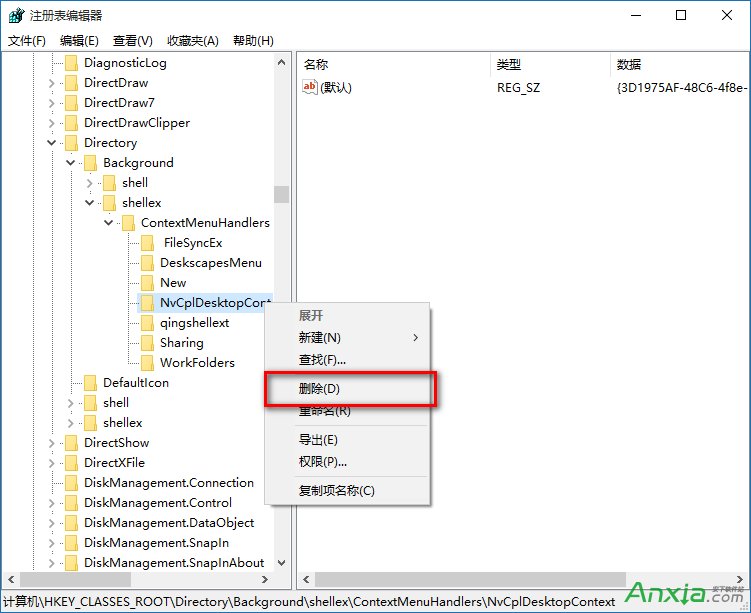
顯卡驅動、聲卡驅動、壓縮軟體等常在右鍵選單加入擴充項,久而久之導致右鍵延遲嚴重。根本解決:移除不必要的 Shell 擴充處理常式。
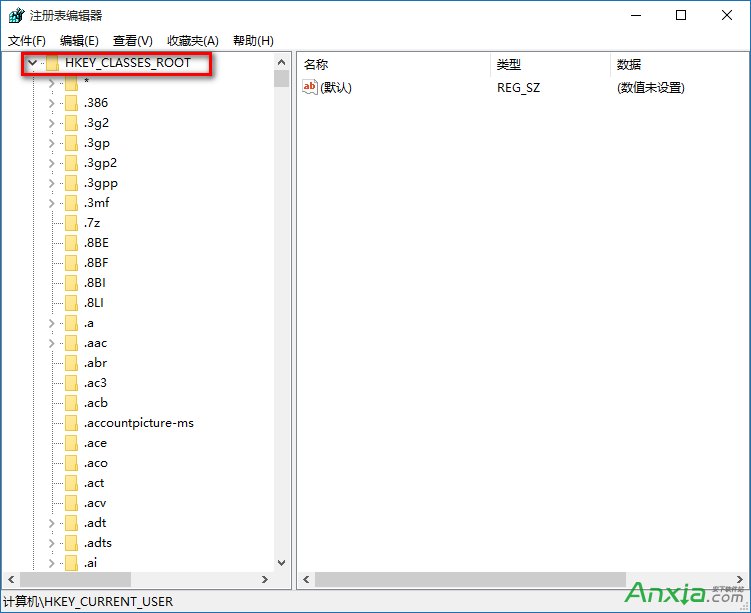
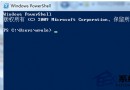
regedit
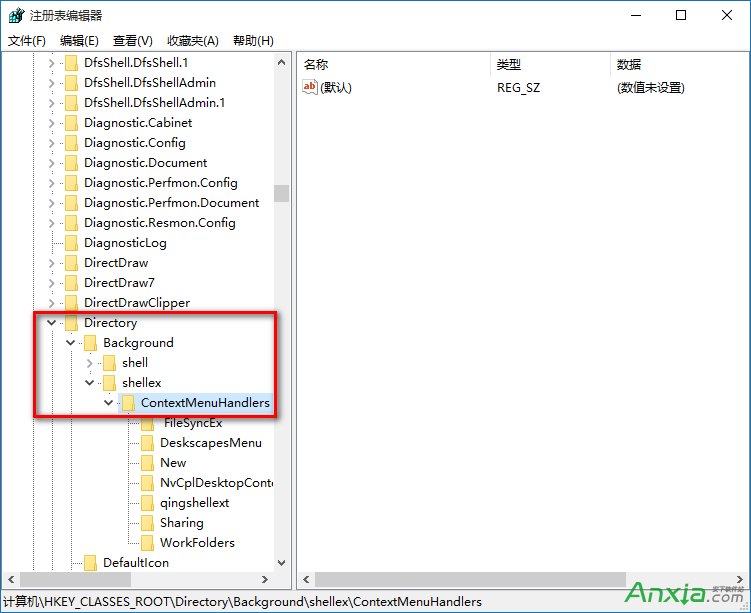
HKEY_CLASSES_ROOT\Directory\Background\shellex\ContextMenuHandlers
New
適用範圍: Win10/Win8.1/Win7 通用。清理後右鍵選單瞬間彈出,桌面操作流暢度大幅提升。建議定期檢查新安裝軟體是否又加入擴充項。
Win10 Build 10122 激活同時移除右下角浮水印:SLMGR 指令一鍵搞定
Windows 8 任務列日期格式自訂教學:調整短日期顯示樣式
Win10 使用 Excel 2010 移除圖片背景:內建「移除背景」工具三步驟完成
Win10 網路圖示出現黃色驚嘆號?修改登錄檔移除標記教學
Windows 10 新版登入介面 (Build 9888/9901) 登錄檔啟用體驗:Threshold=1 解鎖現代化登入畫面
Win7 電腦突然沒聲音?五大故障原因與對應解法全攻略
Windows 8.1 建立個人化主題完整教學:桌布、色彩、聲音、螢幕保護
Win10 如何刪除內建「王碼五筆」輸入法?控制台語言設定中移除頑固項目