PowerShell 預設僅內建於 Windows 7 專業版/企業版/旗艦版。家用版/家用基本版需手動安裝。PowerShell 為強大自動化腳本/管理引擎,遠超越 CMD,現代 Windows 管理不可或缺工具。
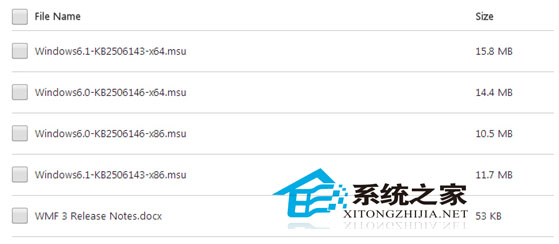
Windows6.1-KB2506143-x64.msuWindows6.1-KB2506143-x86.msupowershell。Windows6.1-KB2506143-x64.msu (WMF 3.0 同樣以 .msu 釋出)Windows6.1-KB2506143-x86.msu$PSVersionTable.PSVersion (應顯示 Major 3)。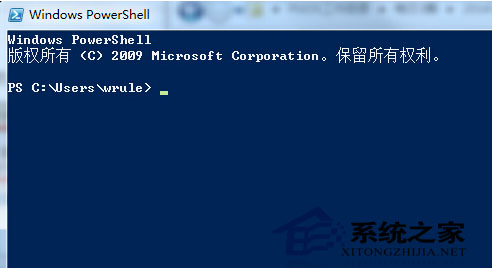
百度/Google 搜尋 PowerShell site:jb51.net 可獲取大量中文實戰教學 (檔案操作、AD 管理、Exchange/SharePoint 自動化、雲端資源管理、CI/CD 腳本)。
Win7 無線網路連不上「Windows 無法連接到無線網路」?六大排查步驟
Win10 Mobile 10166 商店驚喜 Bug:可重新安裝已下架應用
Win10 相容模式執行舊版軟體:右鍵屬性勾選 Win7/XP 模式解決應用程式無法啟動
Win7/Win8 免費升級 Win10 提示圖示怎麼關閉?移除 KB3035583 修補程式
Win10 系統下 Excel 2007 無法正常運作的解決方案
Ubuntu 系統移除已安裝軟體完整教學:以 MySQL Client 為例
Win10 預覽版安裝完整指南:ISO 鏡像四大玩法與多種安裝方法詳解
升級 Win10 14393 失敗報 0xc1900101-0x40017?關閉 .NET Framework 4.6 進階服務後重試