安裝軟體提示需 Win7 SP1,怎麼確認自己版本?
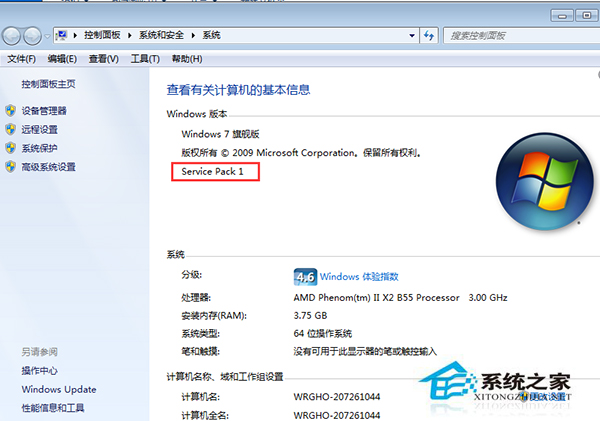
簡單兩步驟即可確認系統 Service Pack 版本,安裝軟體前快速檢查。
WinXP 控制台左側「切換分類檢視」消失?群組原則一鍵恢復
Win10 预览版新配音 Eva 解锁注册表法:导入 MSTTS_V110_enUS_EvaM 语音令牌,文本转语音下拉菜单即可选择
Windows XP 無法安裝 iTunes?完整排除與安裝教學
Windows 7 群組原則優化:停用 NetMeeting、Media Player、錯誤回報、行動中心、家庭群組等非必要元件
Windows Server 2003 IIS 新增 FLV MIME 類型支援線上影片播放
微軟官方 Media Creation Tool 製作 Win10 安裝 USB 完整圖文教學