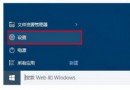
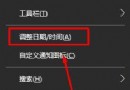
百度推出公共 DNS:主 180.76.76.76、備 114.114.114.114。三系統通用設定路徑:

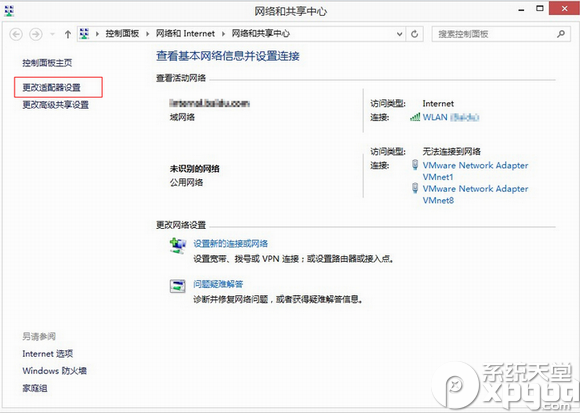
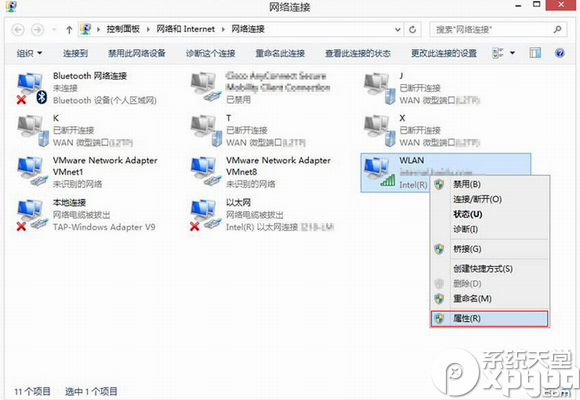
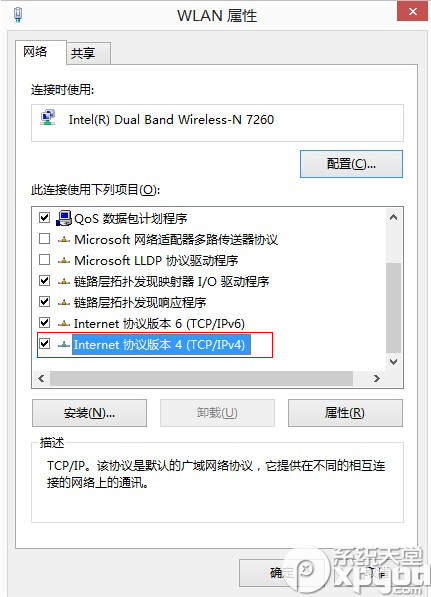
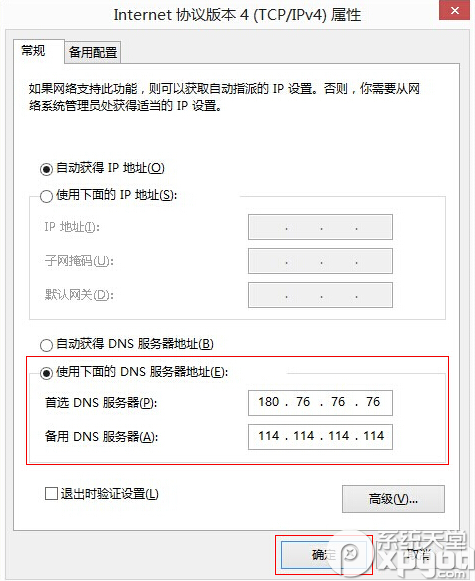
設定後可提升解析速度、減少劫持風險。
Win10 還原至 Win7/Win8.1 完整指南:30 天內一鍵回滾、超過期限乾淨安裝法
Windows RT 獲特殊更新:將獲得部分 Win10 功能(新開始選單、Edge 瀏覽器等)
舊版 Windows 10 預覽版明日停止運作:Build 9841/9860/9879 請緊急更新至 10074
Windows 新增虛擬網卡(Microsoft Loopback Adapter)完整圖文教學
Win8 設定固定 IP 位址教學,透過控制台網路介面卡屬性手動輸入 IP、DNS
Win10 升級後筆電無法調整螢幕亮度?登錄修改 FeatureTestControl 徹底解決