Windows XP Windows 7 Windows 2003 Windows Vista Windows 綜合教學 Linux 系統教學
Windows 10 Windows 8 Windows 2008 Windows NT Windows Server 電腦軟體教學
您现在的位置: Windows教程網 >> Windows教程 >  >> Windows 綜合教學 >> 關於 Windows

Win8 休眠時也能下載檔案?修改登錄啟用 Away Mode

編輯:關於 Windows

預設下 Windows 進入休眠會切斷網路,導致下載中斷。透過登錄新增 AwayModeEnabled 值,可讓系統進入「離開模式」:螢幕關閉、風扇停轉,但網路與下載持續運作。

登錄修改步驟

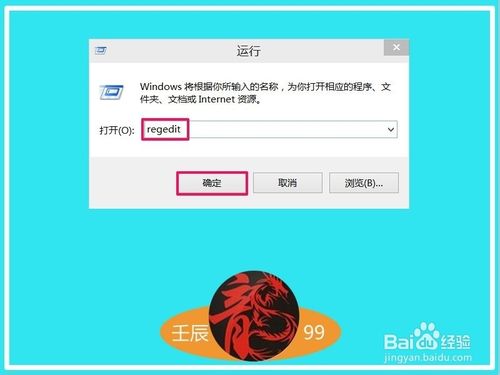
  1. Win+R 輸入 regedit 開啟登錄編輯器。
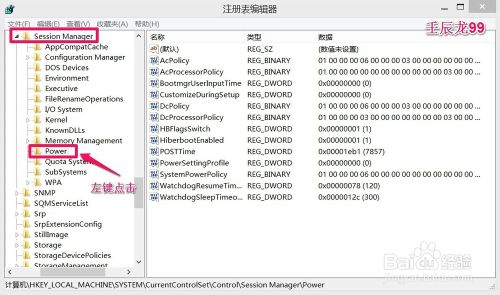
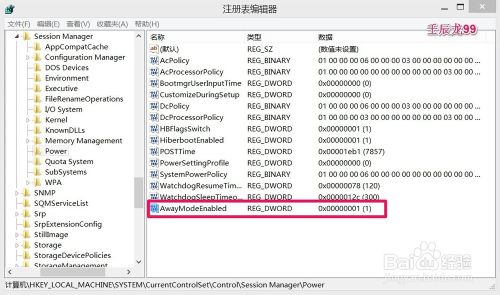
  2. 依序展開:HKEY_LOCAL_MACHINE\SYSTEM\CurrentControlSet\Control\Session Manager\Power。
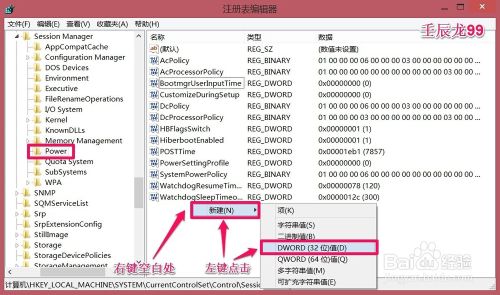
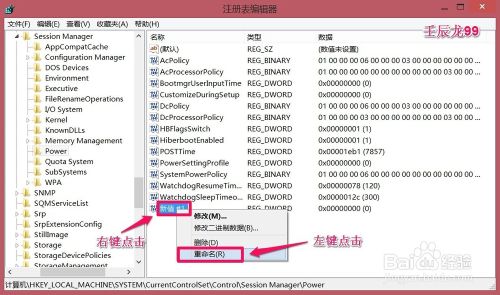
  3. 在 Power 右側空白處右鍵 → 新增 → DWORD (32 位元) 值,命名為 AwayModeEnabled。
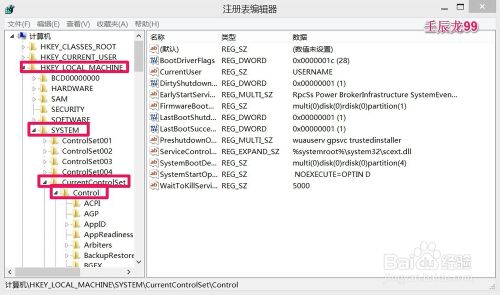
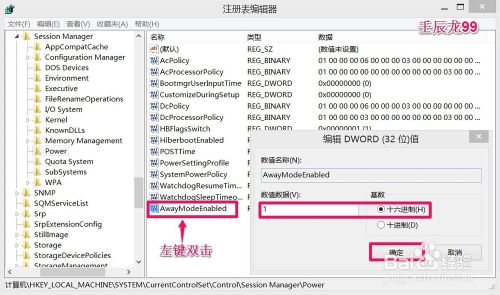
  4. 雙擊該值,將數值資料從 0 改為 1(十六進位),確定。
  5. 重新開機生效。

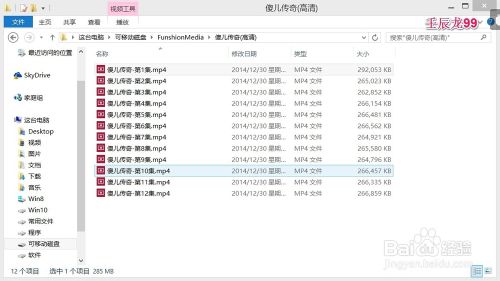
實測:啟用後休眠狀態下成功下載 12 集影劇至隨身碟,非常適合長時間下載任務。

Copyright © Windows教程網 All Rights Reserved