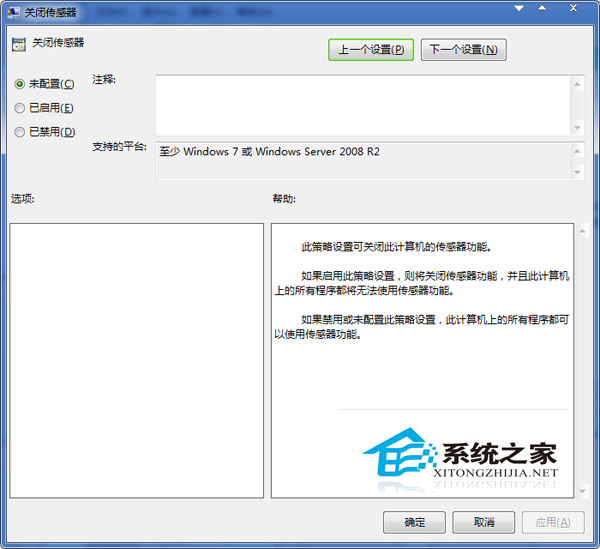
Windows 7 感應器提供位置、環境等資訊,但現今手機 GPS 功能更完善,電腦感應器作用微乎其微,可透過群組原則停用:
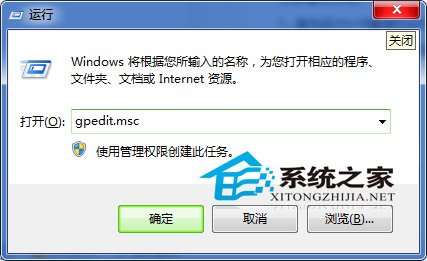
gpedit.msc
許多 Windows 7 功能已被其他裝置取代,群組原則中發現無用選項可關閉以提升效能。
Win10 C 槽清理完整教學:釋放磁碟空間、提升系統效能
Win10 設定檔案權限防止重要資料被竄改:共享資料夾權限配置圖解
Win10 家庭版用戶可能被迫強制安裝系統更新,無法延遲
Win10 對比 Win7 哪個好?效能實測告訴你誰更快
Win7 禁用 Win 鍵、封鎖網站、禁用 F8 進入安全模式:登錄與第三方軟體雙方案
Windows XP 區域網路共享檔案設定教學:實現檔案管理與軟體共享
Win7 必學 10 大實用快捷鍵:鎖機、永久刪除、視窗切換、新資料夾、多螢幕移動、工作列啟動
Win10 Mobile Redstone 14295 上手體驗評測:流暢度提升、已知問題整理