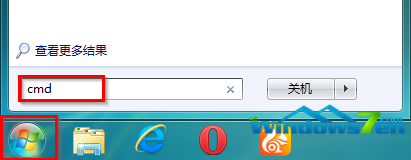
Windows 7 使用久了檔案龐大,搜尋變慢。可透過清除無用索引加速:
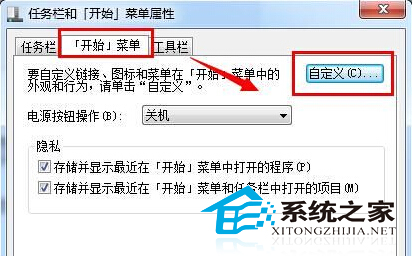
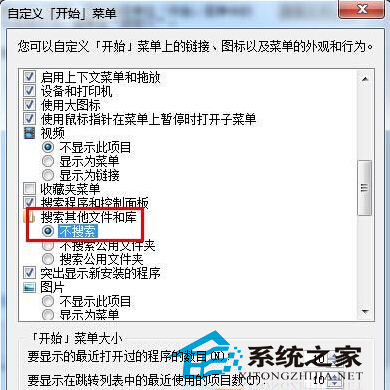

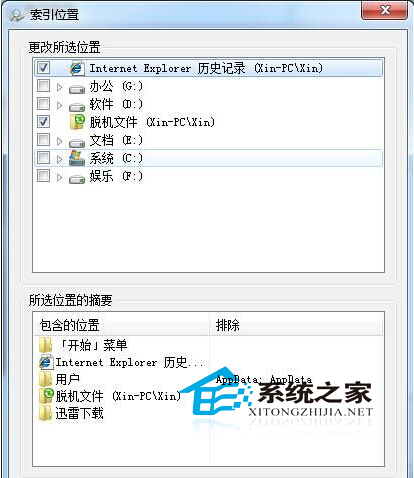
勿移除重要索引位置,確保常用關鍵字搜尋目錄保留。
Windows 10 Build 10159 發布:300+ Bug 修復、穩定度大幅提升、Hero 壁紙亮相
Windows 7 解決 QQ 訊息導致播放器音量變小:關閉通訊活動偵測功能
Win7 查看系統啟用狀態教學:系統屬性→Windows 啟用區域一鍵確認
微軟全球推送 Windows 10 免費升級預約提示:點擊預約、等待 7 月 29 日下載 3GB 安裝包
Win7 運行遊戲報錯 0xc00000d?DirectX 與 VC++ 修復大全
WindowsApps 資料夾無法開啟?Win8 取得權限完整教學:顯示隱藏 → 安全性 → 進階 → 變更擁有者 → 編輯權限