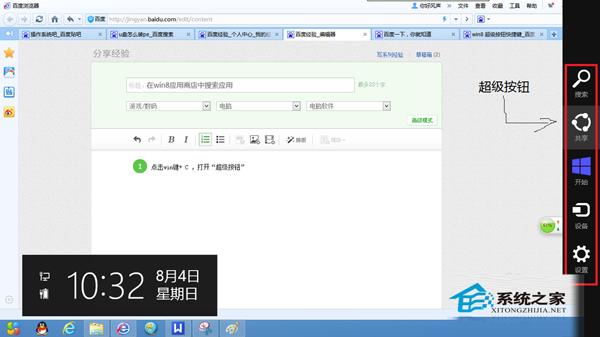
Win8 全域搜尋結果雜亂,若只想在應用商店找 App,可先尋關鍵字再點選「應用商店」分類,自動縮小範圍。操作:Win+C 呼叫超級按鈕 →「搜尋」→ 輸入名稱 (如「新浪微博」) → 點選結果區「應用商店」→ 直接進入商店頁面下載。
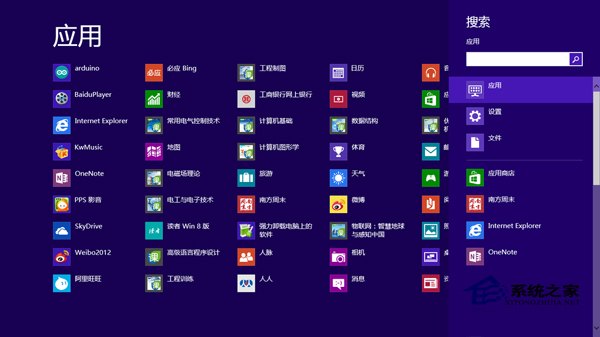
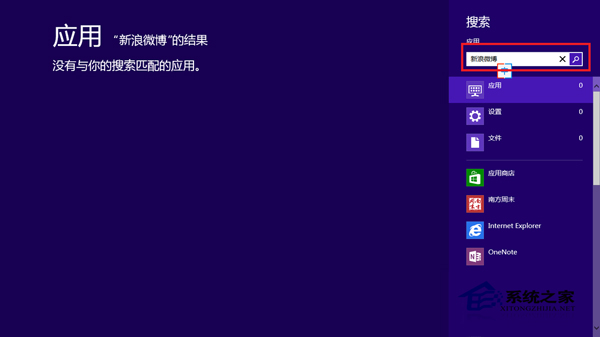
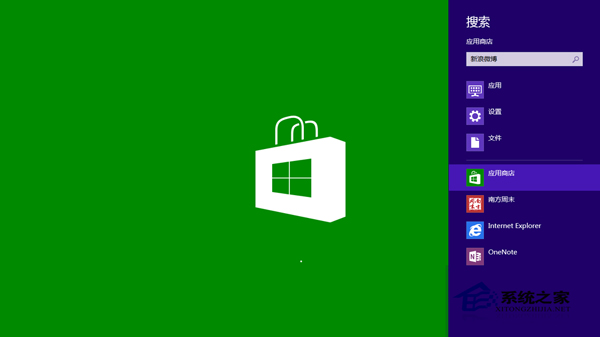
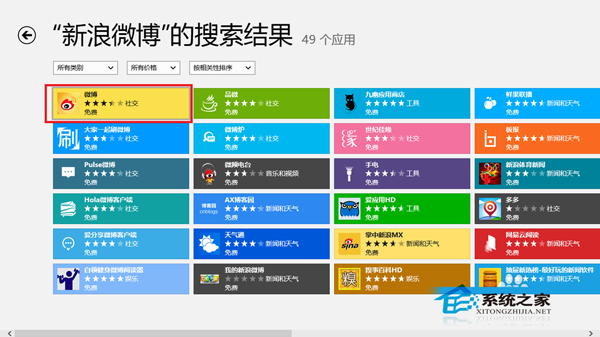
此法等同「先搜尋再篩選來源」,避免全域結果干擾,快速直達商店目標應用。
Windows 7 軟體不相容?內建相容性疑難排解與手動設定雙管齊下
Win8.1 解除安裝程式後控制台殘留項目無法刪除?登錄編輯器徹底清除
Win10 無法運行《洛奇英雄傳》?srcds.exe/hshield 相容模式修復
Win7 裝置管理員不斷自動重新整理?刪除工具列佈局註冊值即解
Win8 開始畫面 IE 磚無法開啟 勾選「IE 磚用於開啟桌面版 IE」解決
使用 USB 隨身碟建立 Windows 7 密碼重設磁碟防止忘記密碼
Win10 無線網路不穩定延遲高?關閉「位置服務」立即改善網路品質
Win10 10240 升 10565 後組群原則編輯器報錯「命名空間重複」與「MMC 停止運作」完美修復:禁用非 Microsoft 服務/啟動項 + 刪除衝突 ADMX 檔案