為防止因密碼過長或記錯而無法登入 Windows 7,可預先使用 USB 隨身碟建立「密碼重設磁碟」。日後輸入錯誤密碼時,即可透過重設精靈重新設定密碼登入。
1、開啟「控制台」→「使用者帳戶」→ 左側「建立密碼重設磁碟」。

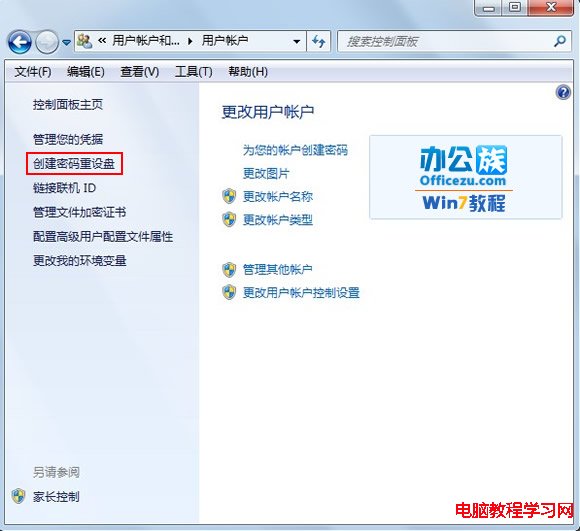
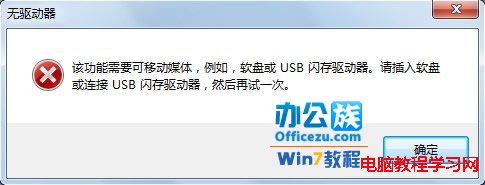
2、未插入 USB 會提示必須插入磁碟機才能操作。

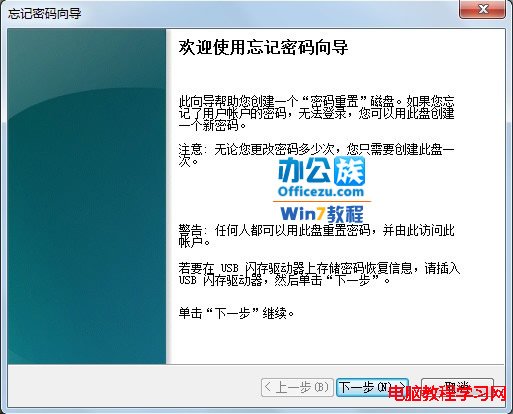
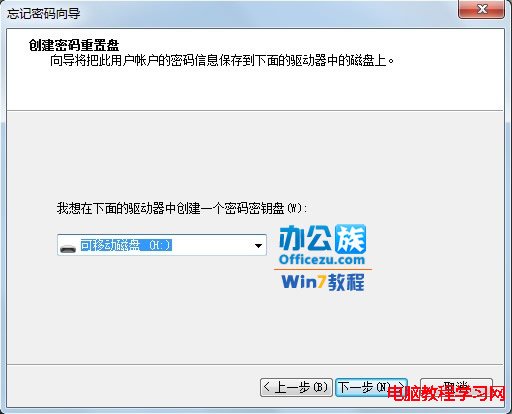
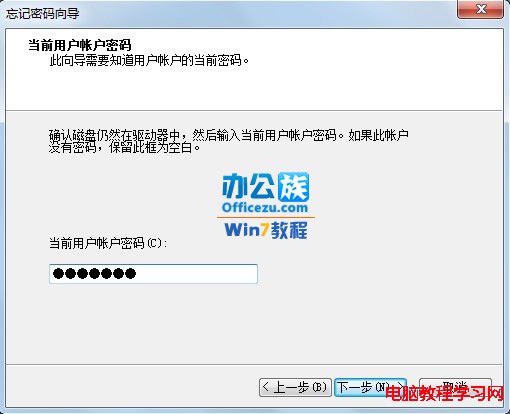
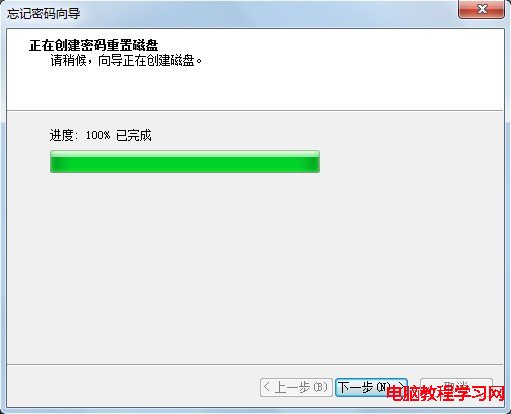
3、插入 USB 後再次點選「建立密碼重設磁碟」,啟動精靈 → 下一步 → 選擇磁碟機 → 下一步 → 輸入目前使用者密碼 → 下一步建立 → 完成。


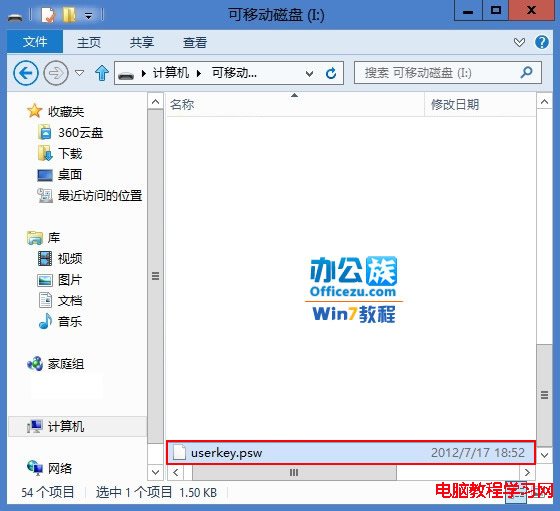
4、完成後 USB 根目錄會產生 userkey.psw 檔案。
提示:日後登入畫面輸入錯誤密碼會出現「重設密碼」連結,插入此 USB 即可依精靈指引重設密碼登入。
Windows 10 Build 10134 預覽版即將推送給 Fast Ring 用戶,Build 10130 轉推 Slow Ring
Win10 Build 10041 官方下載教學:快速通道更新設定與 ISO 現況說明
Windows 10 將「Windows 相片檢視器」設為預設看圖程式,取代 Metro 風格照片應用
Windows XP 登入畫面自訂歡迎/警告訊息?修改登錄即可實現
Win7 藍屏 0x000000C5 錯誤解決:B150 主機板必開 Intel 虛擬化技術
Windows 10 Build 9918/9916/9901/9915 預覽版下載資訊彙整:官方 ISO 與內部版本對照