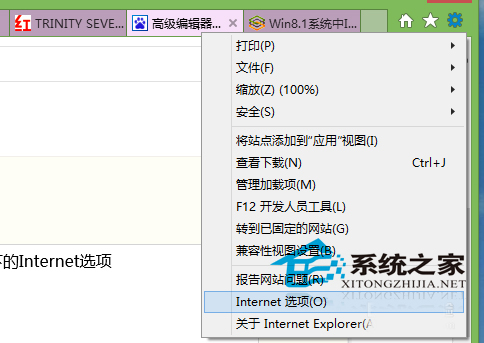
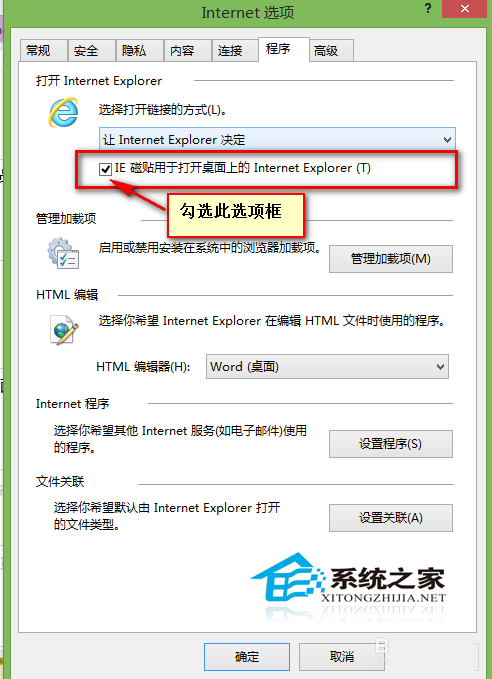
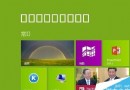
Win8 開始畫面 IE 磚點擊無反應,解決方法:
此設定控制磚點擊行為,亦可管理瀏覽器預設模式、快取清除與安全性設定。
Win8 使用 Metro 版解壓縮工具 8 Zip:應用商店安裝、目前僅支援 ZIP 格式
Win8 開機出現致命錯誤 C00000022 解決方法
Win7 變更視窗框線與工作列顏色雙法教學:個人化設定與控制台外觀
Win8 常出現 DNS 解析錯誤?四大主因與對應解決方案完整分析
Windows 8 啟用/停用 Hybrid Boot(快速啟動):控制台與群組原則雙法
Win10 如何查看 BIOS 版本號?systeminfo 指令一鍵顯示
Windows XP 在國外觀看亞洲盃:建立 VPN 連線圖文教學
Win10 VS 圖形偵錯 Direct3D 11 失敗?缺少「圖形工具」可選功能