頻繁需以管理員身分開啟 CMD,可修改登錄使預設即為管理員模式:
reg add "HKEY_CURRENT_USER\Software\Microsoft\Windows NT\CurrentVersion\AppCompatFlags\Layers" /v "c:\windows\system32\cmd.exe" /d "RUNASADMIN" /f
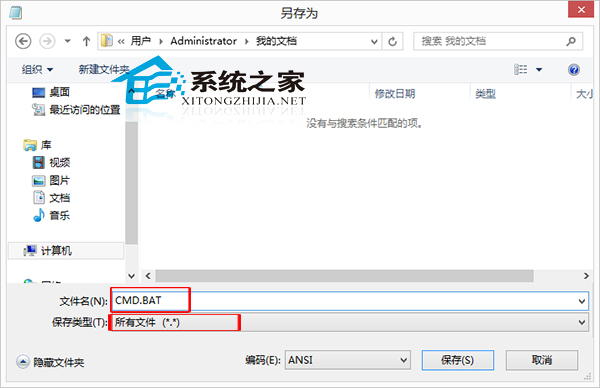
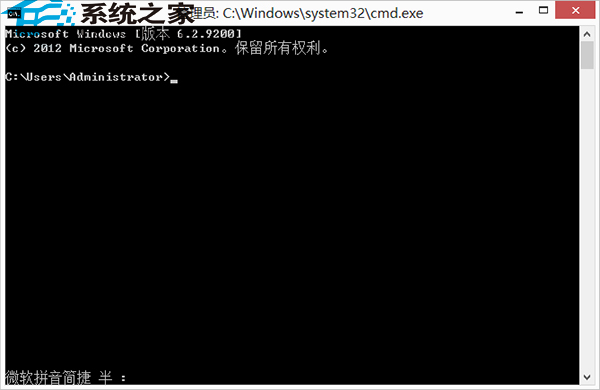
CMD.BAT(類型選「所有檔案」)。CMD.BAT →「以系統管理員身分執行」。cmd 即自動以管理員模式開啟(標題列顯示「系統管理員: C:\windows\system32\cmd.exe」)。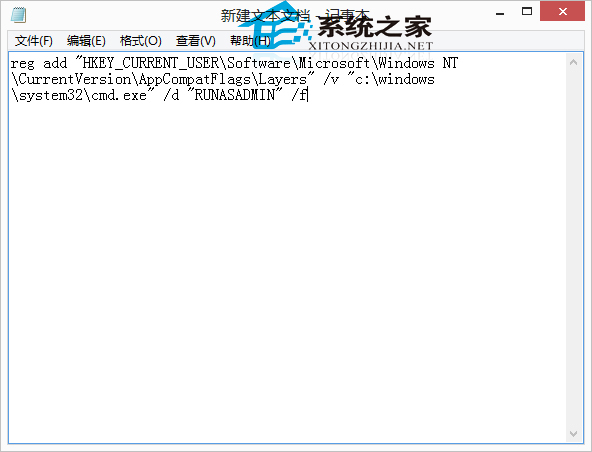
高頻率使用 CMD 的使用者強烈建議設定。
Win8 安裝網路印表機完整圖文教學:從 Ping 測試到列印測試頁
Win10 正式版家庭中文版 ESD 鏡像下載地址(32/64 位)含轉 ISO 工具
微軟帳號怎麼註冊?官方網站申請 Outlook/Hotmail 信箱完整圖文教學
Win7 開機越來越慢怎麼辦?啟用多核心啟動與精簡啟動項雙管齊下
Win7/8.1 滑鼠右鍵回應緩慢?登錄檔清理 ContextMenuHandlers 秒解
Win10 提示「本次作業因電腦限制被取消」?群組原則一鍵解除限制
C 盤空間不足?Win10 官方教學:變更預設儲存位置緩解壓力
Windows Server 2008 遠端桌面效能優化五大秘技:優先權、Session 0、多螢幕、自訂解析度、頻寬控制