右鍵選單延遲通常由 ContextMenuHandlers 累積過多無效項目導致。清理步驟:
regedit 開啟登錄編輯器。HKEY_CLASSES_ROOT\Directory\background\shellex\ContextMenuHandlers。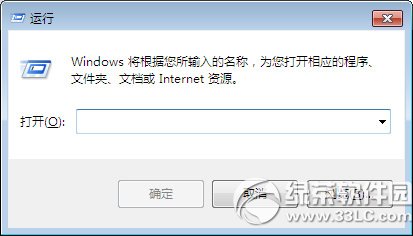
清理後右鍵選單即時彈出,無延遲。建議定期檢查該路徑防止再次膨脹。
Win7 資源管理器加入遠端搜尋連接器:直接在檔案總管搜尋 Bing/Google/Yahoo
Win10 最讓人愛不釋手的五大功能:Cortana、Windows Hello、Continuum、開始選單、Edge 瀏覽器
微軟官方 Media Creation Tool 製作 Win10 安裝 USB 完整圖文教學
Win8 開啟圖片提示「停用 UAC 時無法啟動應用程式」完整解決指南
Windows 8.1 安裝到 USB 隨身碟/行動硬碟 (Windows To Go) 圖文教學:分區助手建立可攜系統
Windows Server照片檢視器無法啟用?安裝「桌面體驗」功能恢復Windows照片檢視器關聯