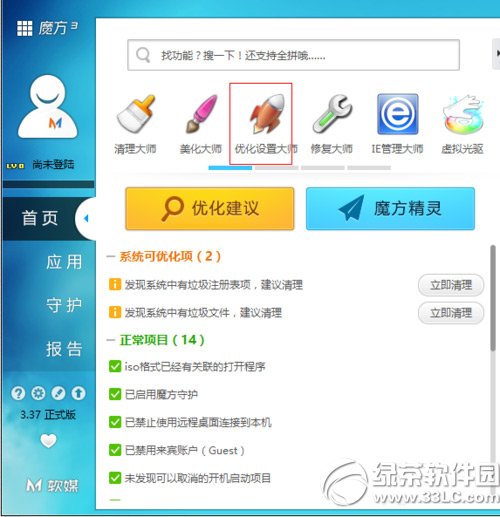
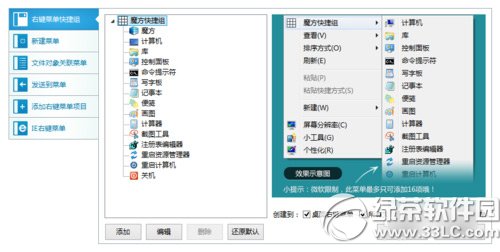
魔方優化大師(v6.1.9.0)提供「右鍵選單自訂」功能,可視覺化管理選單項目:
比手動編輯登錄檔更直觀安全,適合一般使用者快速精簡右鍵選單。
Win10 10122 AMD 顯卡 Edge 崩潰已修復:Windows Update 推送新驅動
Win7 桌面捷徑圖示不見了?調整文字大小兩次即可找回
Win7 IE8 增益集 (附加元件) 管理與停用/刪除教學
Windows 7 藍畫面錯誤代碼完整對照表 (0-105) 與排查三大原則
Windows 10 遊戲相容性測試:主流大作多數可跑,需啟動碼遊戲升級前必須反啟動
Win10 Mobile 版「照片」應用更新 15.820.15552.0:UI 重設計、雙段式樞紐、單手操作優化
Win10 File Explorer 体验持续优化:Insider 负责人透露明年初披露细节,触控交互成重点攻坚方向
Windows 10 內建「手機伴侶」App:跨平台同步音樂、照片、檔案,支援 iOS/Android/WP