不相容軟體解除安裝後,「新增/移除程式」仍殘留項目 (如 VoptXP V7.12) 點選「變更/移除」無反應。解決步驟:
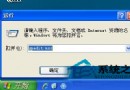
regedit 開啟登錄編輯器。TrayNotify.reg (或完整備份)。HKEY_LOCAL_MACHINE\SOFTWARE\Microsoft\Windows\CurrentVersion\Uninstall,找到殘留項目鍵值刪除。
第三方安全軟體 (如金山毒霸) 亦提供「程式解除安裝 + 登錄清理」一鍵功能,可嘗試使用。
Win10 Build 9860 新增虛擬桌面切換動畫:Win+Ctrl+左右鍵體驗滑動過渡
Windows 7 關閉 Aero 透明效果:開發者與低階機種釋放資源必學指令
Win8 設定/修改 IP 位址:右鍵網路圖示→網路和共用中心→更改介面卡設定→內容→IPv4→手動輸入 IP/閘道/DNS
DiskGenius 檔案救援全攻略:誤刪、格式化、RAW 分區資料完整復原
Windows 10 IoT Core 物聯網版正式釋出:免費下載、支援 Raspberry Pi 2 與 MinnowBoard Max
Win7 限制網卡速率教學:將頻寬鎖定 10Mbps 全雙工,保障區域網公平用網