Windows XP Windows 7 Windows 2003 Windows Vista Windows 綜合教學 Linux 系統教學
Windows 10 Windows 8 Windows 2008 Windows NT Windows Server 電腦軟體教學
您现在的位置: Windows教程網 >> Windows教程 >  >> Windows 綜合教學 >> 關於 Windows

Windows 8.1 視窗切換卡頓解決:卸載 KB3033889 更新並隱藏防止重裝

編輯:關於 Windows

Windows 8.1 安裝更新 KB3033889 後出現視窗切換卡頓、介面延遲,卸載該更新並隱藏可徹底解決。

解決步驟

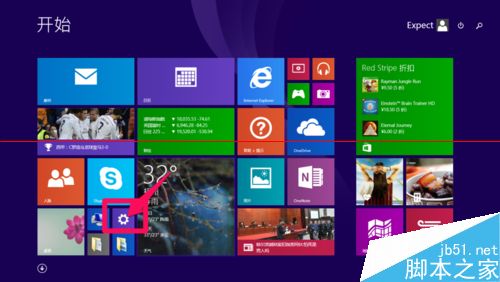
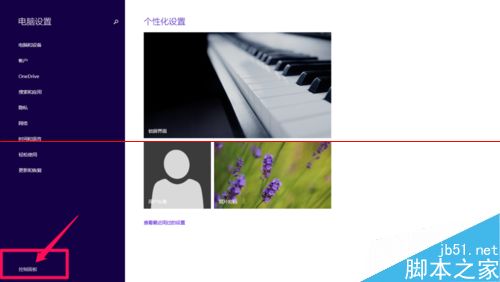
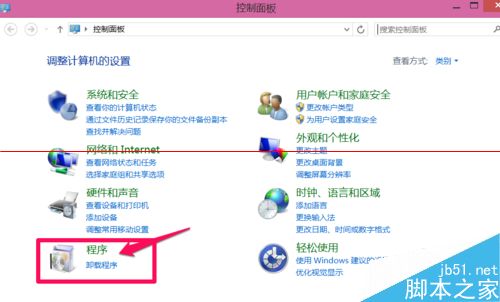
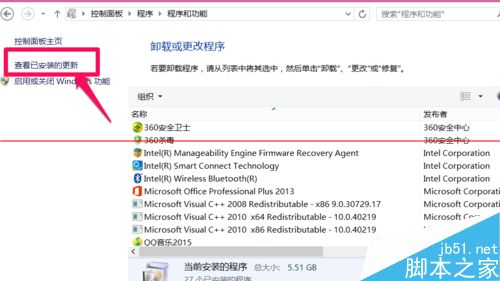
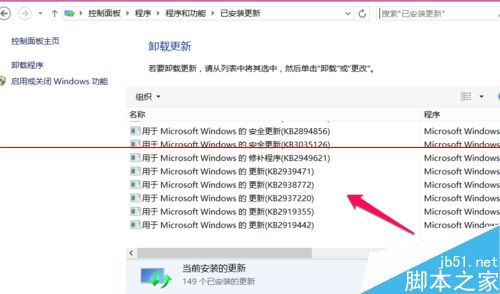
  1. 設定 → 控制台 → 「程式集」→ 「檢視已安裝的更新」。
  2. 找到 KB3033889 → 右鍵「解除安裝」。
  3. 重新開機生效。

防止自動重裝

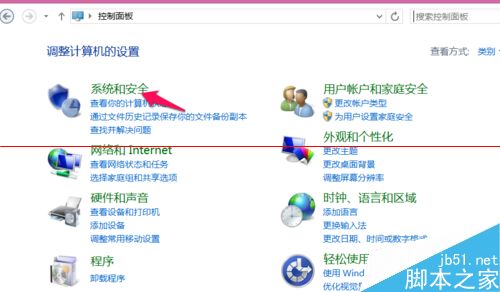
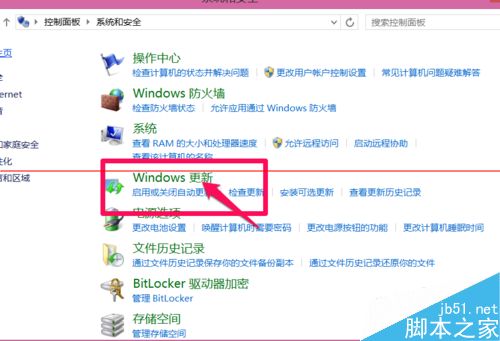
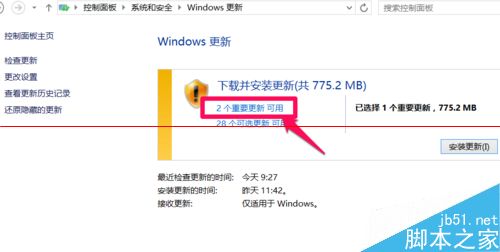
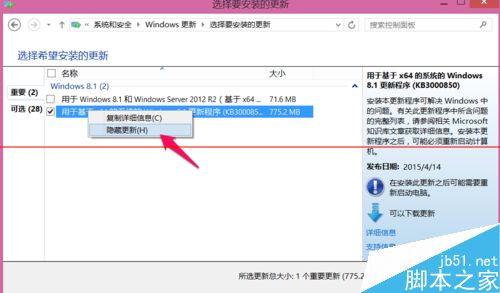
  1. 控制台 → 「系統及安全性」→ 「Windows Update」→ 「重要更新」。
  2. 找到 KB3033889 → 右鍵「隱藏更新」。

隱藏後 Windows Update 不會再自動推送該更新。若微軟後續釋出修正版本(新 KB 編號),可視情況安裝。此為已知相容性問題更新,卸載後系統穩定性恢復正常。

Copyright © Windows教程網 All Rights Reserved