Windows 8 引入「檔案歷程記錄」功能,提供檔案版本備份與還原,支援網路位置儲存。
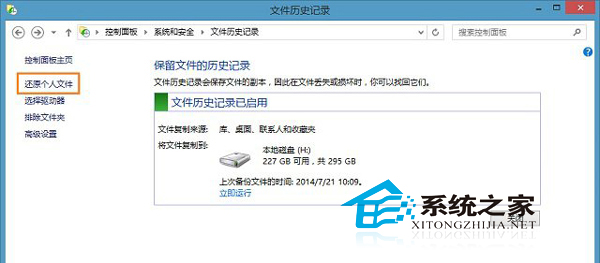
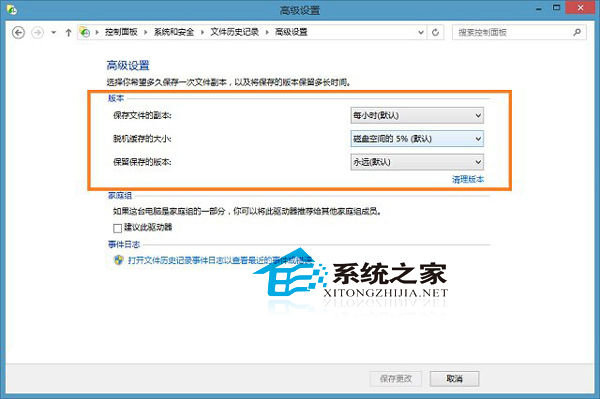
前提: 必須先啟用檔案歷程記錄才能備份與還原。建議搭配外接硬碟或 NAS 作為網路備份目標,保護重要資料免受誤刪、加密勒索軟體威脅。
Win10 PC 版地圖定位不準?微軟解釋:無 Wi-Fi 時僅靠 IP 定位,誤差大屬正常,Wi-Fi 輔助定位優化更新在途
Windows 10 隨身碟版 Amazon 開放預購:家庭版 $119.99、專業版 $199.99,8 月 16 日出貨
Win10 預覽版 10162 更新內容:修復 Bug、提升效能與續航、新增提示功能
Win10 Mobile 10149 更新修復內容完整彙總:Edge 瀏覽器、Cortana、相簿 GIF、OneDrive 自動上傳
Win10 週年更新 KB3194496 安裝失敗解決方案:離線 CAB 更新包手動部署
Win10 寬帶撥號連線建立完整圖文教學 (PPPoE 設定、帳號密碼輸入、自動撥號建議)
制作 Windows 10 U 盘启动安装盘全教程:官方工具 Windows 7 USB/DVD Download Tool