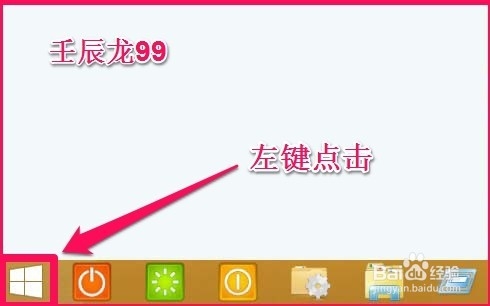
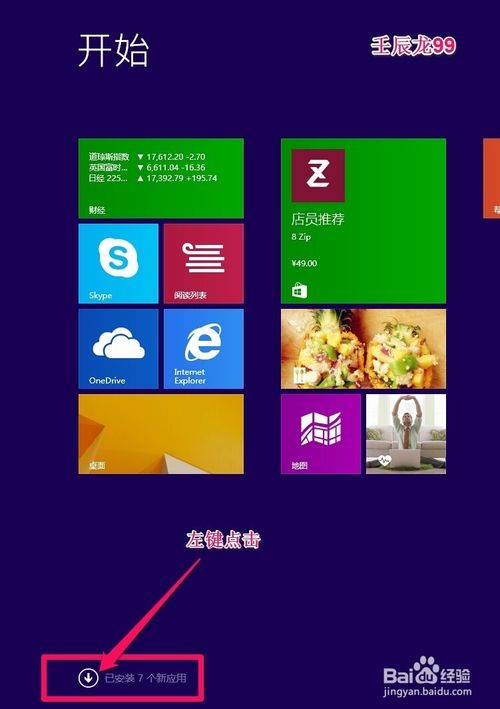
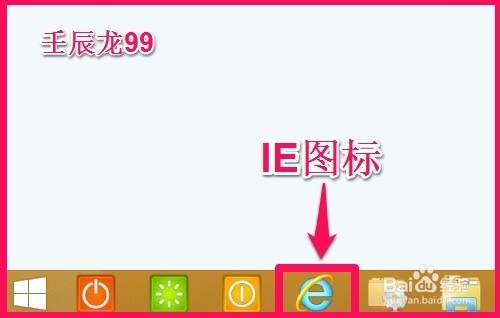
Win8/8.1 安裝完成後桌面預設無 IE 圖示,可透過釘選到工作列或建立桌面捷徑找回。
方法一:釘選到工作列
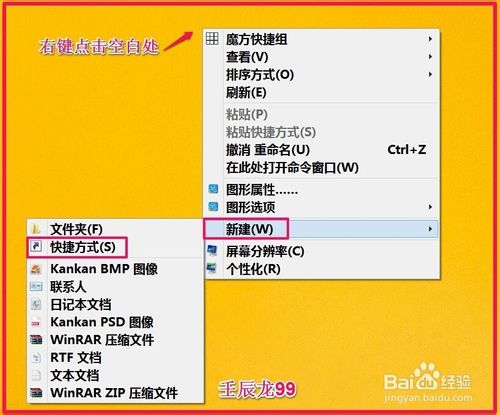
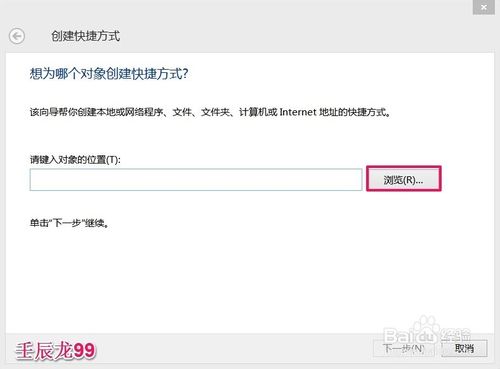
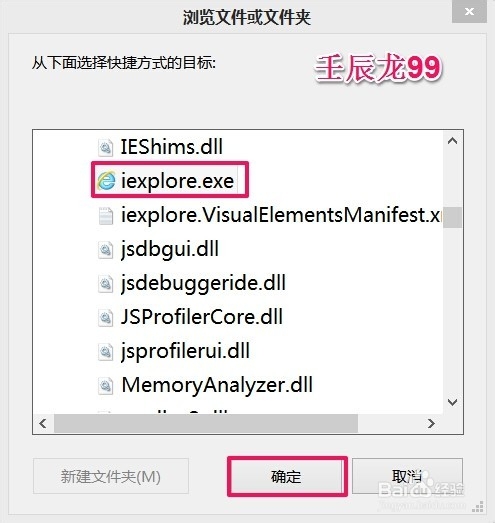
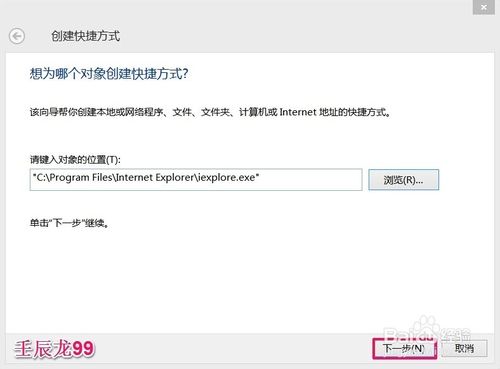
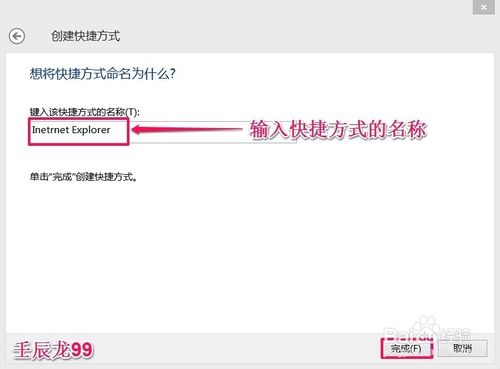
方法二:建立桌面捷徑
C:\Program Files\Internet Explorer\iexplore.exe
兩種方式皆可快速恢復 IE 存取入口。
Win7 開始選單「關機」按鈕不見了?四種方法恢復(群組原則、登錄檔、安全模式)
Win7 開機提示「CMOS battery failed」?更換主機板鈕扣電池即可解決
Windows 8 開啟遊戲總管的快捷方式建立教學
Win7 svchost.exe 應用程式錯誤「記憶體無法為 read」怎麼解?禁用 WDF 服務快速修復
Windows 7 開機錯誤 0x000006d18 兩種解法:手動指令與批次檔重設 Windows Update 元件
Win10 找不到 QQ 圖示?兩招從隱藏區喚回或固定顯示於工作列
Win10 微軟拼音輸入法設定預設輸入模式為英文:設定 App → 時間與語言 → 區域與語言 → 選項 → IME 預設模式
Edge 瀏覽器去廣告與 HTML5 無廣告影片播放完整設定教學