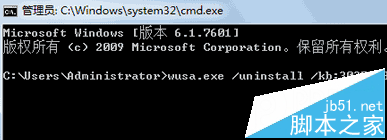
KB3035583 是 Windows 10 免費升級推送元件,許多用戶不想升級卻發現無法在一般模式解除安裝。需進入安全模式以系統管理員權限執行 wusa.exe 指令移除,並停用 Windows Update 服務防止再次安裝。
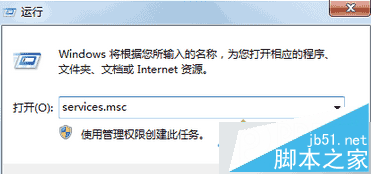
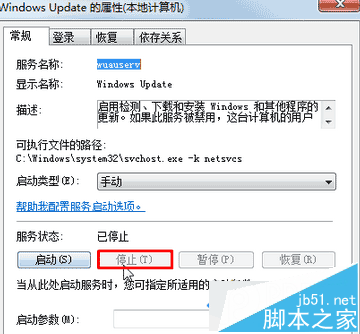
wusa.exe /uninstall /kb:3035583 按 Enter,等待偵測並移除。services.msc → 找到 Windows Update → 雙擊 → 啟動類型改 停用 → 服務狀態點 停止 → 套用/確定。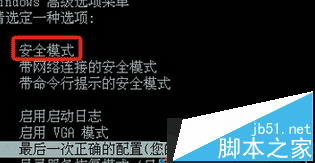
完成後重開機,KB3035583 已移除且不再自動推送 Win10 升級。若未來想升級,可重新啟用 Windows Update 服務手動檢查。
Windows 10 安裝圖文教學史上最全:VirtualBox 虛擬機、USB 開機碟、實體機安裝全流程
Windows 7 磁碟重組排程任務:啟用、停用與自訂完整設定指南
Win7 硬碟安裝 Ubuntu Kylin 14.10 完整圖文教程(無需 WUBI)
Win10 平板模式開啟/關閉雙法教學:動作中心快速切換、設定App詳細調整
Win10 Build 9865 激活工具/安裝金鑰/升級教程 (歷史版本資訊)
Win7 禁用 USB 隨身碟三大法:群組原則禁止可移動裝置、大勢至 USB 管理軟體精細管控讀寫方向與密碼保護