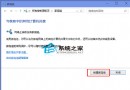
鄰近或同樓層無線網路使用相同/相近頻道會導致頻道衝突,造成無線網路無法使用。以 Win7 32 位元旗艦版為例分享解決方法。
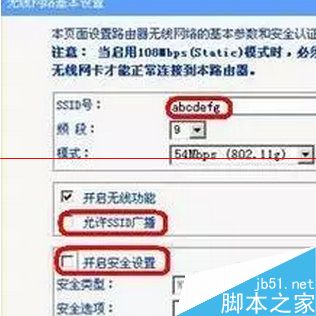
IEEE 802.11b/g 標準僅支援 3 個不重疊傳輸頻道:1、6、11 或 13 不衝突。了解原理後,透過手動修改頻道值即可解決/避免衝突。
若遇到無線區域網路頻道衝突,依上述方法即可解決。
Marvell 網卡 Win10 無法上網?移除內建驅動改裝舊版驅動程式
Win10 10074 開始選單打不開?語言包缺失,安裝英文 (美國) 語言包即可修復
Win10 小娜打不開提示「依公司原則停用 Cortana」?群組原則啟用「允許使用 Cortana」並檢查檔案總管搜尋設定解決
Win10 累積更新 KB3159635 釋出:將 RTM 10240 直接升級至 1511 版本
Windows 核心版本號在哪裡查看?三種快速查詢法 (CMD / winver / 系統資訊)
WinXP 開機自動檢測磁碟 (chkdsk) 取消與根治五大實用技巧