Windows XP Windows 7 Windows 2003 Windows Vista Windows 綜合教學 Linux 系統教學
Windows 10 Windows 8 Windows 2008 Windows NT Windows Server 電腦軟體教學
您现在的位置: Windows教程網 >> Windows教程 >  >> Windows 綜合教學 >> 關於 Windows

Win10 小娜打不開提示「依公司原則停用 Cortana」?群組原則啟用「允許使用 Cortana」並檢查檔案總管搜尋設定解決

編輯:關於 Windows

Windows 10 點選 Cortana/搜尋列提示「依公司原則停用 Cortana」,實為群組原則誤設「已停用」。需在電腦設定與使用者設定兩層級檢查並修正。

修復步驟

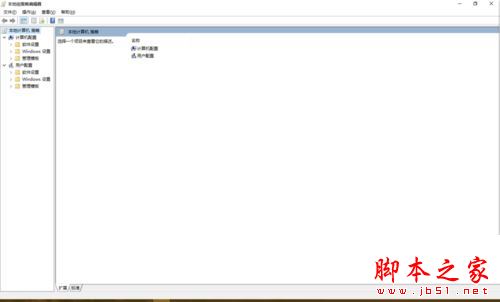
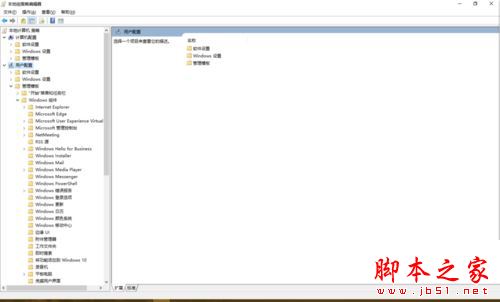
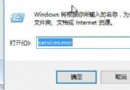
  1. Win+R → gpedit.msc 開啟群組原則編輯器。
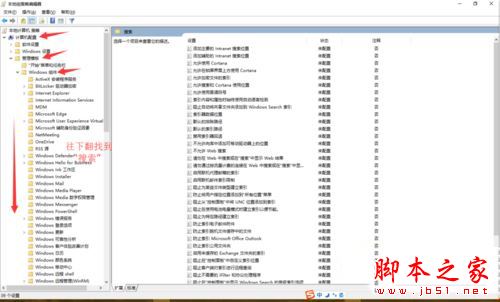
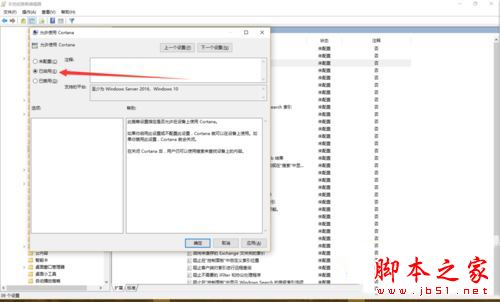
  2. 電腦設定 層級:
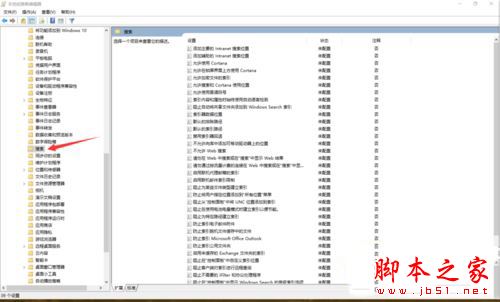
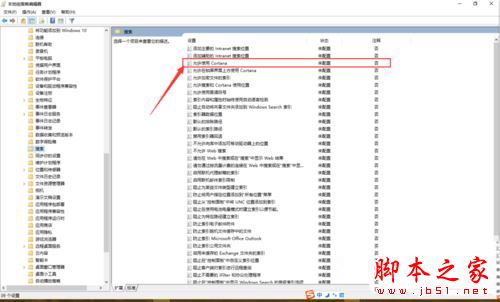
    「系統管理範本」→「Windows 元件」→「搜尋」→ 「允許使用 Cortana」→ 設「已啟用」→ 套用/確定。
  3. 使用者設定 層級:
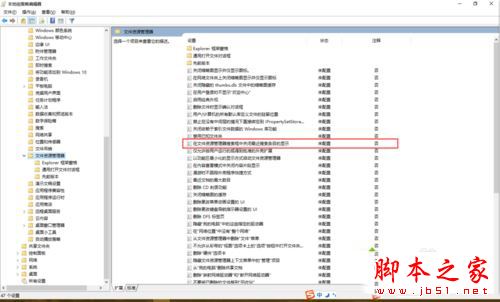
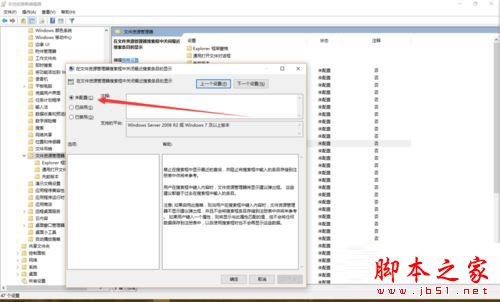
    「系統管理範本」→「Windows 元件」→「檔案總管」→ 「在檔案總管搜尋方塊中關閉最近搜尋條目顯示」→ 設「未設定」→ 套用/確定。
  4. 關閉群組原則編輯器,重開機或等待原則重新整理,Cortana 恢復正常。

群組原則開啟

電腦設定搜尋

搜尋元件

允許使用Cortana

設定已啟用

套用確定

使用者設定檔案總管

關閉最近搜尋顯示

設定未設定

原理說明

  • 電腦設定控制 Cortana 核心功能啟用/停用。
  • 使用者設定中「檔案總管搜尋」相關原則若設為「已啟用」,會干擾搜尋列行為,需設回「未設定」。
  • 此情況常因第三方優化工具、企業環境原則下發、或誤操作導致。

雙層級檢查修正屬標準群組原則疑難排解流程,修復後 Cortana 完整功能恢復,搜尋列行為正常化。

Copyright © Windows教程網 All Rights Reserved