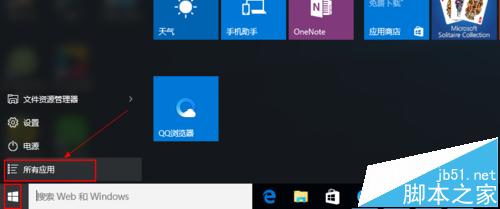
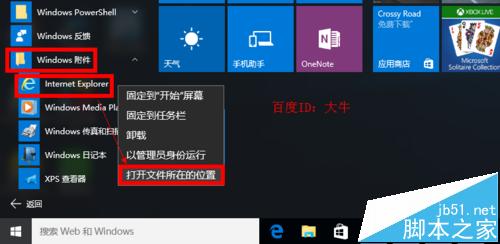
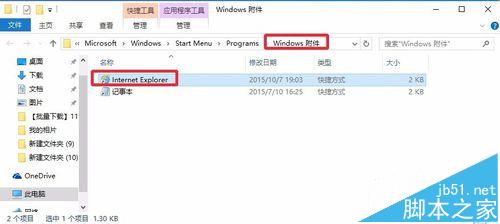
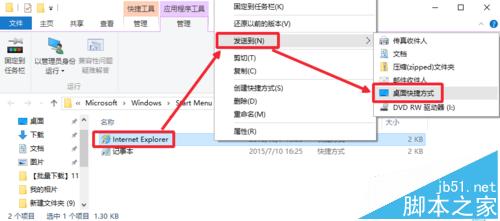
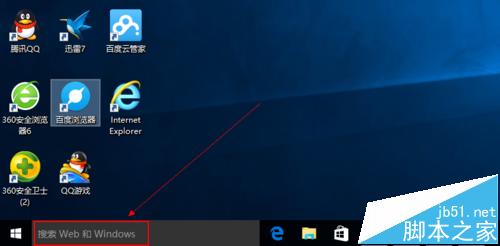
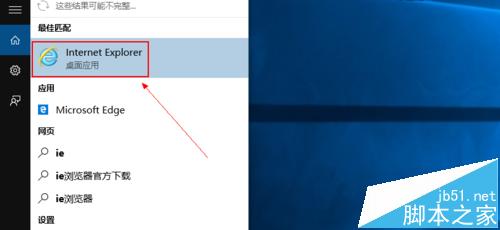
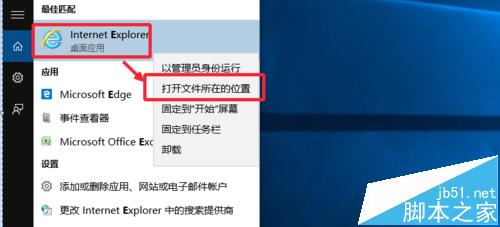
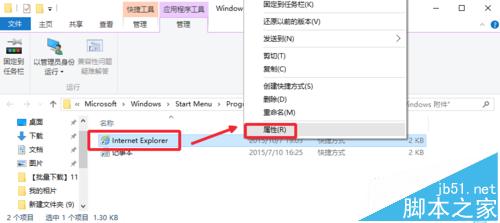
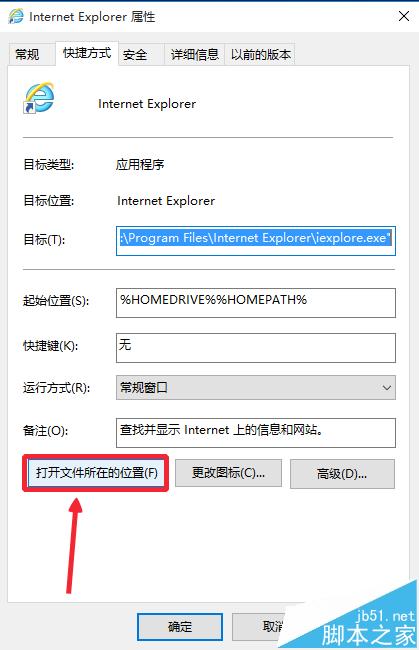
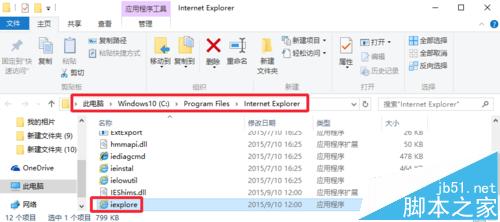
Win10 預設瀏覽器為 Edge,但 IE 仍內建於系統。以下三種方式可快速找到並建立 IE 桌面捷徑:
IE
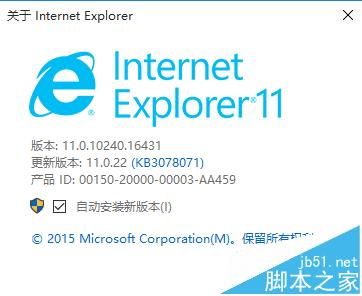
Internet Explorer
C:\Program Files\Internet Explorer\iexplore.exe
C:\Program Files (x86)\Internet Explorer\iexplore.exe
三種方法任選一即可,方便習慣使用 IE 的使用者快速存取。
Win7 64 位元旗艦版 設定「插上耳機自動切換、拔掉靜音」Realtek 音效管理員設定教學
Windows 10 發布會直播地址大全:微博、圖文、視頻多渠道同步
Win10 小尺寸平板操作示範影片:開始介面應用程式清單預設收合、磚塊放大、外接鍵鼠即變桌面電腦
制作 Windows 10 U 盘启动安装盘全教程:官方工具 Windows 7 USB/DVD Download Tool
Win10 桌面背景黑屏不顯示?同 4955 解法:開啟「顯示 Windows 背景」
Win7 關閉資料夾共用防資安風險:進階共用取消勾選即可
Win10 找回傳統「桌面背景」設定介面(支援自動換桌布完整功能)
微軟澄清:真正的 Windows 10 通用應用商店網頁版尚未上線,目前為更新後的 Windows 應用網站