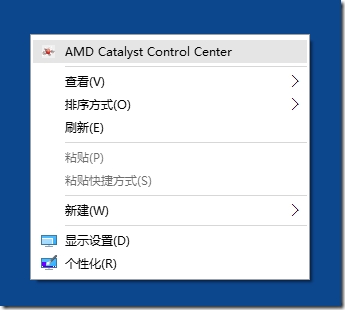
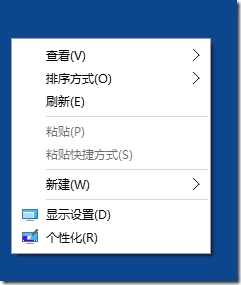
新裝 Win10 系統,某使用者帳號右鍵選單需等待 2 秒以上。排除舊顯卡驅動後,發現問題在於顯示卡廠商 (AMD/NVIDIA/Intel) 將自家控制中心加入檔案總管右鍵選單 (Shell Extension) 導致延遲。
解決工具:微軟 Sysinternals Autoruns.exe (官方可信工具,https://live.sysinternals.com/)
此法同樣適用於其他第三方殼擴充套件導致的右鍵選單緩慢問題。
Win10 多檔案選取右鍵選單項目消失怎麼辦?修改登錄檔突破 15 檔限制
Win10 查看磁碟空間使用情況:設定 → 系統 → 儲存體 一覽無遺
Win10 程式相容性助手有用嗎?兩種方法關閉/停用此雞肋功能
Windows 10 硬碟空間不足?7 招完整清理教學釋放 C 槽空間
Win10 進入飛行模式無法關閉?乾淨啟動排查第三方服務衝突 + 正常開關教學
Windows 10 更新 KB3124200 導致 Office 2016 Word 設定遺失 (Normal.dotm 被重命名) 的官方修復方法
Win7 筆電電源圖示消失不見解決方法:組態原則與通知區域雙重檢查
Win8 RP版死機怎麼辦?開啟Hyper-V虛擬化功能即可解決