程式相容性助手(PCA)自 Win7 起內建,監控程式執行檢測相容性問題。實測多為誤報,且無法提供具體解決方案,被公認為「雞肋功能」,影響使用者體驗。提供兩種停用方法:

方法一:群組原則停用(專業版/企業版)
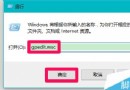
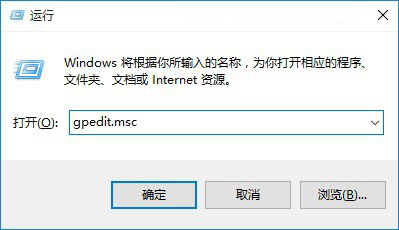
- Win+R 輸入
gpedit.msc。
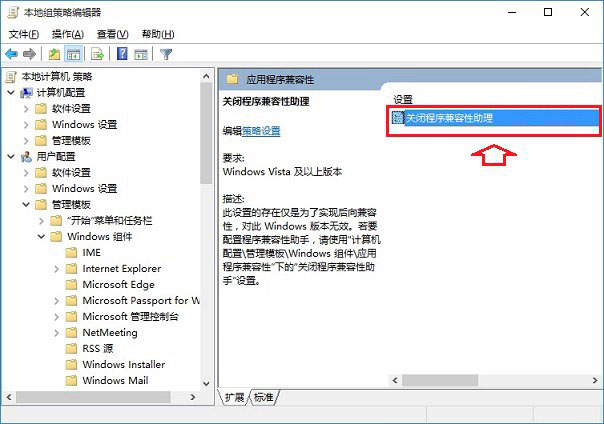
- 依序展開:「使用者設定」→「系統管理範本」→「Windows 元件」→「應用程式相容性」。
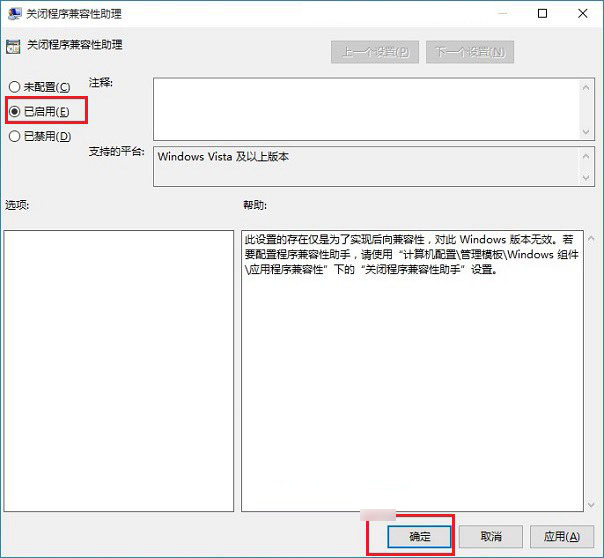
- 雙擊「關閉程式相容性助手」→ 選「已啟用」→ 確定。
補充:確有相容性問題的舊程式,可右鍵執行檔→「內容」→「相容性」頁籤→ 勾選「以相容模式執行」選擇 Windows 7,手動指定相容模式更精準有效。
方法二:停用服務(適用家庭版/無群組原則版本)
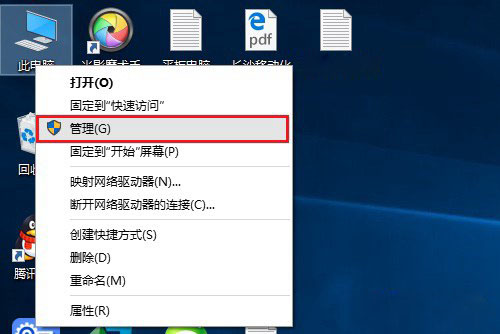
- 右鍵「此電腦」→「管理」→「服務與應用程式」→「服務」。
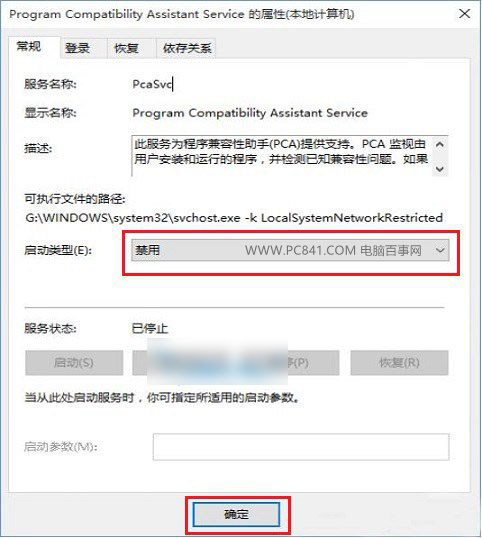
- 找到 Program Compatibility Assistant Service,右鍵→「內容」。
- 「啟動類型」改「停用」→ 「停止」服務 → 確定。
停用服務等同釜底抽薪,PCA 功能將無法運作,達到關閉目的。建議視系統版本選擇適合的方法。