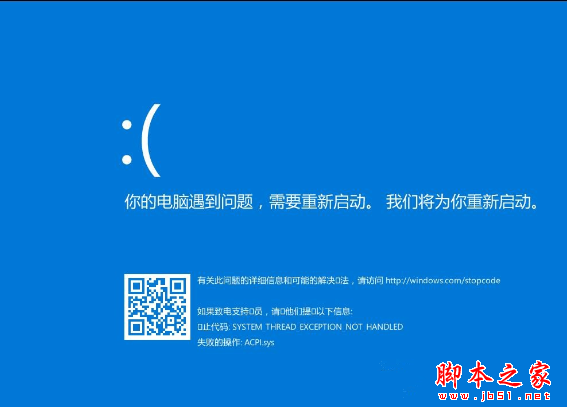
Win10 藍畫面錯誤模組 ACPI.sys,屬電源管理驅動程式,代表系統與現有電源管理驅動不相容。
ACPI.sys
更新電源管理驅動通常即可解決 ACPI.sys 藍畫面。更多藍畫面排除技巧請關注本站!
Windows 10 9 大惱人問題急需解決:檔案總管分頁、設定分裂、搜尋/工作檢視按鈕不可移、本地帳號隱藏...
Win10 如何開啟內建行動熱點?設定 → 網路與網際網路 → 行動熱點 → 設定 SSID/密碼 → 開啟
Win7 便箋提示「元數據已損壞」如何修復?註冊 DLL 解決方案
Win7 玩《英雄聯盟》頻繁自動關機?硬體過熱與電源不足排查指南
什麼是微虛擬化?Windows 10 如何受益?
.NET Native 深度解析:Win10 通用應用效能飛躍的關鍵技術
Win10 Mobile 10586.107 升級後會出現哪些 Bug?
Win10 命令提示符字體大小如何設置?屬性調整圖文教程