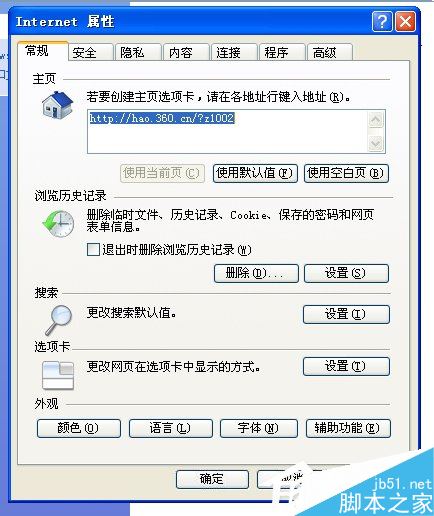
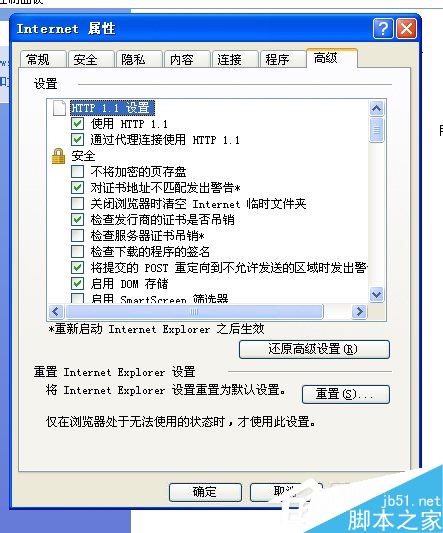
游標瀏覽讓使用者透過鍵盤標準導航鍵 (Home End PgUp PgDn 方向鍵) 在網頁選取文字、移動游標,適合無滑鼠或偏好鍵盤操作的用戶。
啟用後按 F7 可快速切換游標瀏覽模式開關。
如何清除 Win10 帳號頭像歷史記錄並恢復預設灰色頭像
Win10 升級提示怎麼關閉?解除安裝 KB3035583 並刪除 GWX.exe 兩步驟徹底移除
Win10 Insider Preview 升級 Build 10547 完整流程:快速通道設定 > 檢查更新 > 自動下載安裝 > 重開機配置
Windows 10 開啟行動熱點失敗「無法啟動承載網路」的解決方法
Windows 10 照片應用程式更新:修正錯誤與效能優化(含下載資訊)
Win10 Mobile「電話」App 新增去電接聽震動提醒
Win10 正式版輸入法切換快捷鍵設為 Ctrl+Shift 完整圖文教學
Windows 7 軟體不相容?內建相容性疑難排解與手動設定雙管齊下