網頁圖片過大超出視窗無法完整查看,IE 內建「自動影像大小調整」功能可依視窗寬度自動縮放圖片。
Win10 提示遺失 xinput1_3.dll 怎麼辦?安裝 DirectX 執行階段庫解決
Win10 如何查看已連線 Wi-Fi 密碼?四步驟透過網路共用中心查詢
Win7 上網變慢、無法開啟網站次級連結?DNS 被竄改一招修復
Windows 10 Build 10166 發布:Groove 品牌正式上線、Edge 微調
徹底清除 Win7 通知區域殘留圖示:註冊表二鍵值搞定
Win10 Build 10147 英文 64 位 ISO 鏡像與語言包下載(洩露版)
Win10 升級後聲卡出現黃色驚嘆號無法安裝?調整裝置安裝逾時時間解決
Win10 全新 NEON UI 界面曝光:統一設計語言終結系統碎片化
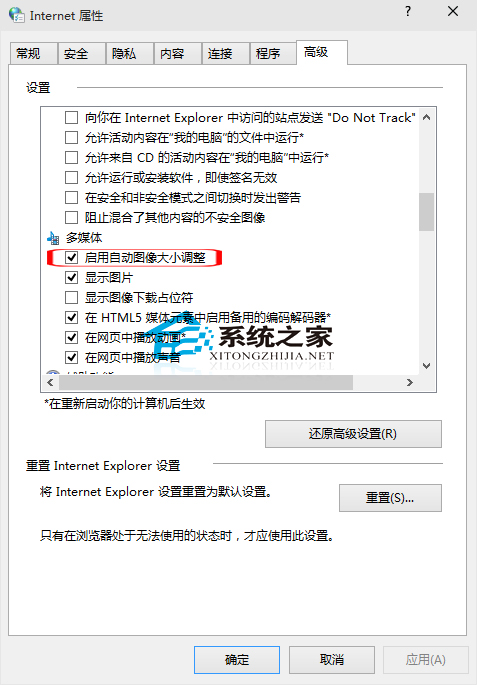 設定後瀏覽大圖網頁無需捲動即可完整預覽,閱讀體驗大幅提升。