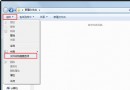
Win7 瀏覽器看影片出現黑畫面/白塊,檢查 Flash 外掛與硬體加速無效後,可嘗試在 IE 設定中強制使用軟體繪圖:
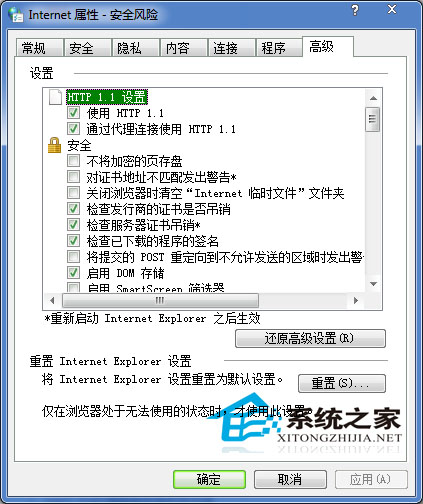
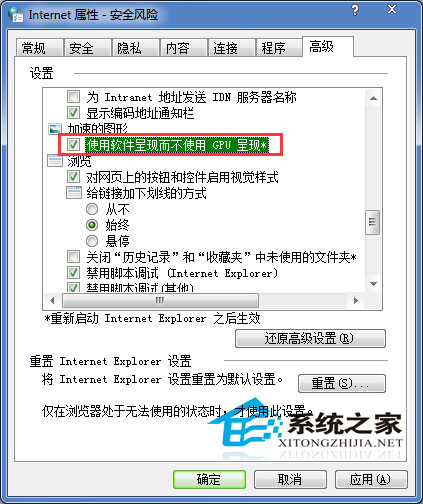
設定生效後,影片播放不再出現黑畫面或白塊異常。
Win10 Build 10134 新增「停止接收 Insider 建置」功能:一鍵退出預覽版推送、可選擇是否參與新功能測試
微軟釋出 Win10 SDK Preview 10158:內建 Mobile 模擬器、新增感知/進階拍照/照片匯入 API
Win7 開機黑屏只剩滑鼠?重啟 explorer.exe 與修復登錄檔徹底解決
Win10 啟用隱藏登入介面:修改登錄 Threshold 鍵值啟用圓形頭像鎖定畫面
Win7 如何自訂歡迎登入畫面背景?登錄表啟用 OEMBackground + 建立資料夾放入圖片 + 群組原則強制套用
Windows 7 筆電建立無線路由器 (軟體 AP) 圖文教學:管理員 CMD、netsh wlan、ICS 共用、啟動/停止指令