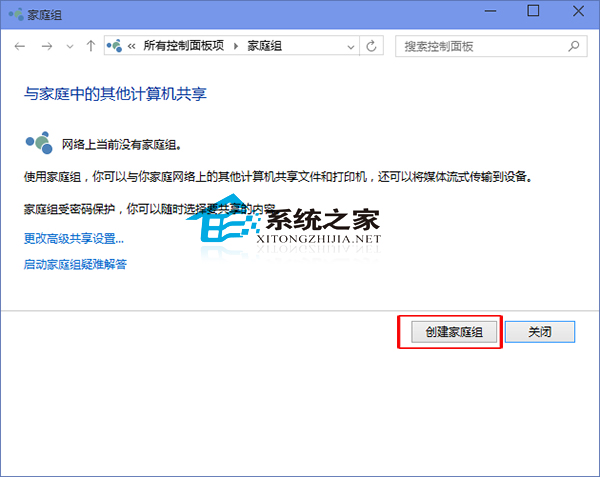
家庭群組是 Windows 經典的區域網路共享功能,適合家庭與小型團隊快速共享檔案、印表機等資源。Win10 建立家庭群組步驟如下:
參考延伸閱讀:《Win10 系統下退出家庭群組的操作方法》。
若未來需退出,同樣在該介面操作「離開家庭群組」即可。
Windows 8.1 變更預設輸入法教學:以智能陳橋五筆為例取代微軟拼音
Win10 10130 應用商店閃退解法:開啟開始選單保持前景、更新商店應用
Windows Vista 隱藏網上鄰居工作站:關閉網路探索功能圖文教學
Win10 無法進入 BIOS?三種解決方案:重啟、關閉快速啟動、斷電重插
Windows 10 安裝率暴擊 Windows 8:10 天佔有率 4.13% vs 0.77%,再現「隔代興衰」鐵律
Windows 批量複製指定文件的實用技巧:使用批處理腳本輕鬆搞定
Windows 10 Build 10041:修改註冊表手動啟用開始功能表跳躍清單功能
Win8 無線網路「受限」解決法:關閉網卡省電模式