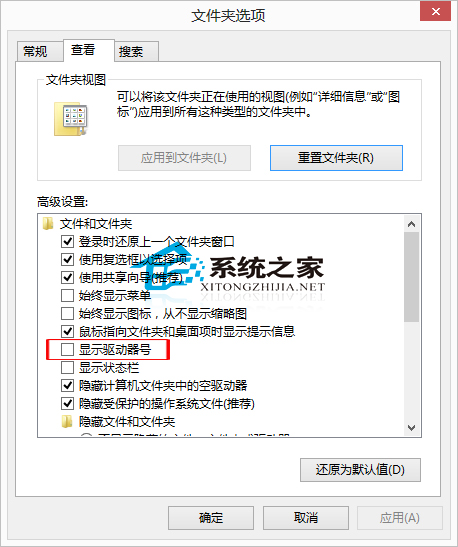
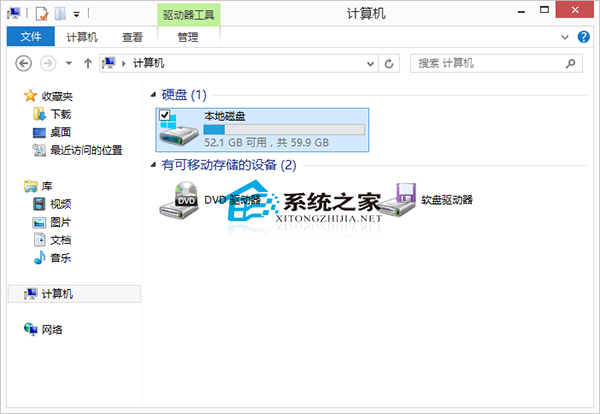
部分用戶偏好在檔案總管中隱藏磁碟機代號(如 C:、D:),Win8 設定方式如下:
若需恢復顯示,重新勾選該選項即可。簡單設定即可依個人喜好調整介面乾淨度。
Win8 如何設定滑鼠移動軌跡顯示?控制台滑鼠屬性啟用「顯示指標軌跡」
Windows 環境下使用 cwRsync 實現文件同步完整指南
Win10/Win8 關閉「Windows 已保護你的電腦」SmartScreen 篩選器提示教程
IE8 無法顯示 PNG 圖片?匯入登錄檔修復 MIME 類型關聯
Win10 內建中文輸入法怎麼打頓號?鍵位改為反斜線「\」
Win10 Build 10108 新功能示範影片:UI 細節打磨進入倒數階段
Win8 開啟本機安全性原則的三種方法(搜尋、執行指令、群組原則)
Win8 IE10 設定「在新索引標籤開啟網頁」:網際網路選項→索引標籤設定