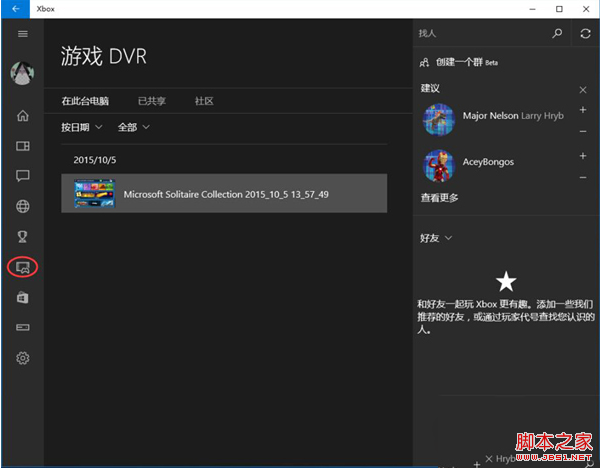
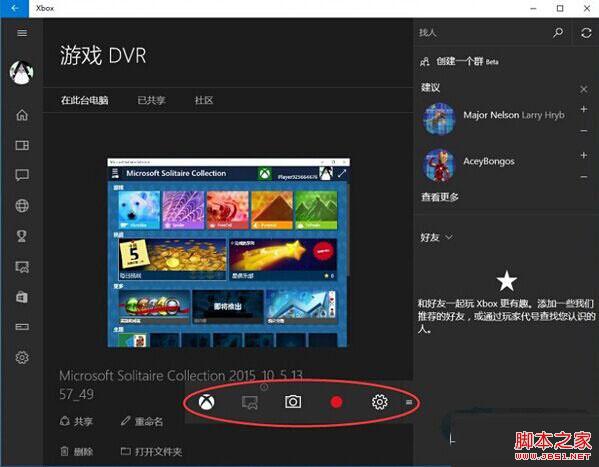
Win10 内置 Xbox Game Bar,按 Win+G 唤起录屏工具栏,支持游戏录制、截图、麦克风混音、广播推流。需先在 Xbox 应用中启用“游戏 DVR”功能,且显卡需满足最低编码规格。
| 厂商 | 支持系列 |
|---|---|
| AMD | Radeon HD 7000/8000/M 系列、R9/R7 系列及更新 |
| NVIDIA | GeForce 600 系列及更新、800M 系列及更新、Quadro K 系列及更新 |
| Intel | HD Graphics 4000 及更新、Iris 5100 及更新 |
Win10 如何讓工作列圖示置中顯示?新增空白工具列佔位技巧
Windows 7 共用印表機 0x000006d9 錯誤解決啟用防火牆服務
Windows 10 檔案總管主頁空白無內容?註冊表新增 DelegateFolders 索引鍵即可恢復庫顯示
Win10 10547 經典「個性化」視窗回歸:主題設定入口藏在設定App深處
XP 升級 Win10 僅需 $39.99?限 32 位家庭版、數位下載、正版用戶專屬
Win7 安装“逐鹿工具箱”报错“error launching installer”解决:统一系统区域语言为中文