Windows XP Windows 7 Windows 2003 Windows Vista Windows 綜合教學 Linux 系統教學
Windows 10 Windows 8 Windows 2008 Windows NT Windows Server 電腦軟體教學
您现在的位置: Windows教程網 >> Windows教程 >  >> Windows 綜合教學 >> 關於 Windows

Win10 查看電腦配置與系統資訊的兩大方法(設定頁與 dxdiag)

編輯:關於 Windows

遇到問題需提供電腦規格時,Win10 提供圖形化「設定」頁與傳統 dxdiag 工具兩種查看方式。

方法一:設定頁查看(適合一般用戶)

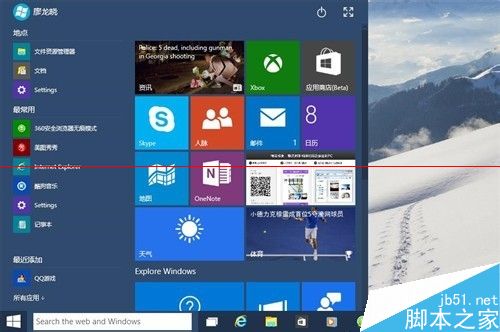
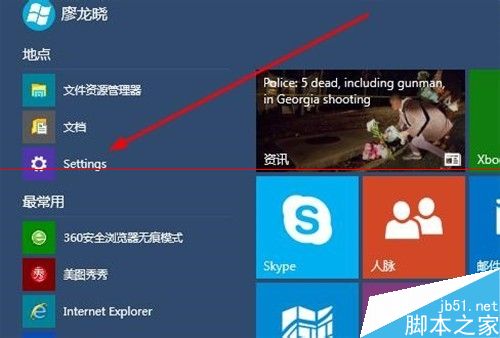
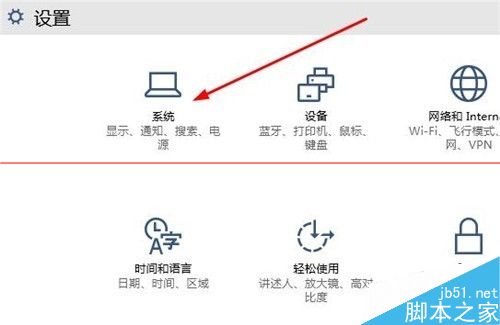
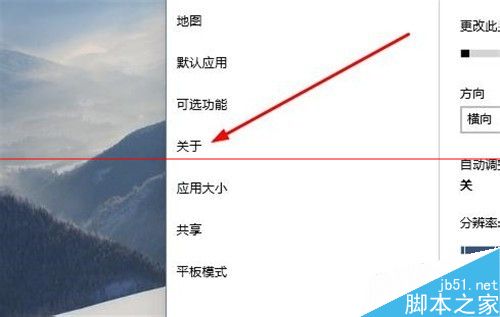
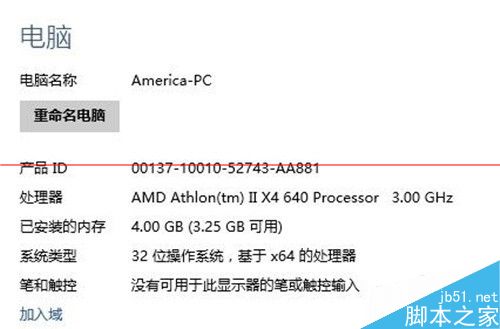
  1. 「開始」→「設定」→「系統」→「關於」。
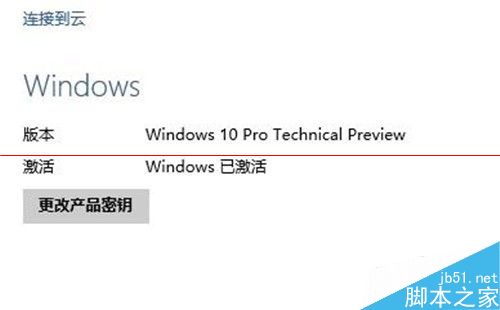
  2. 即可看到裝置名稱、處理器、安裝記憶體、裝置 ID、產品 ID、系統類型、筆電/桌上型電腦等資訊。
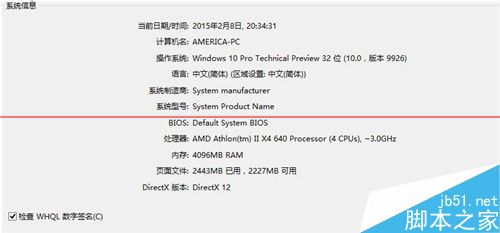
設定頁關於本機

設定首頁

系統設定

關於選項

系統資訊詳情

裝置規格

Windows 規格

方法二:執行 dxdiag 查看詳細硬體資訊(適合進階用戶)

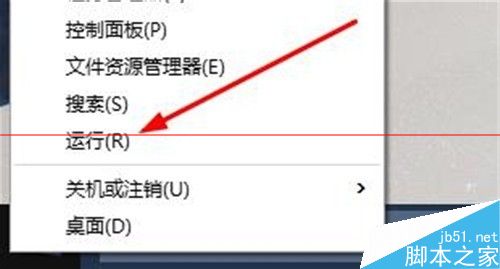
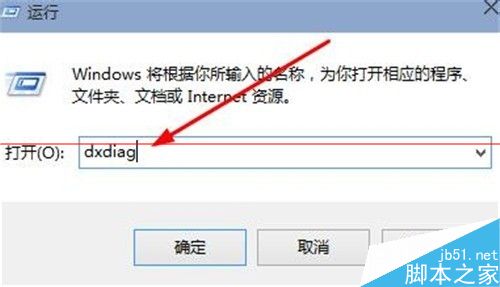
  1. 右鍵「開始」→「執行」(或 Win+R),輸入 dxdiag 按 Enter。
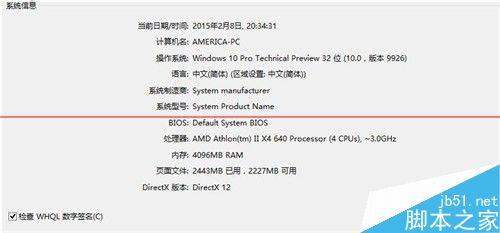
  2. 「系統」索引標籤顯示作業系統、處理器、記憶體、DirectX 版本等。
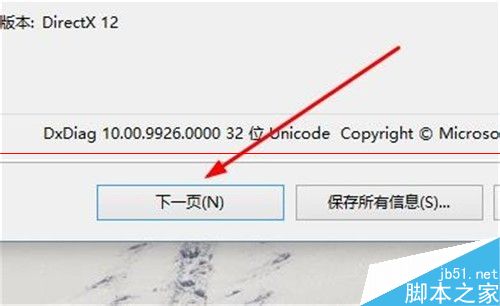
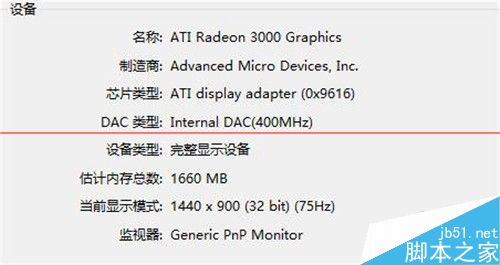
  3. 點選「下一頁」切換至「顯示」索引標籤,可查看顯示卡晶片、驅動程式版本、顯示記憶體、解析度等硬體細節。
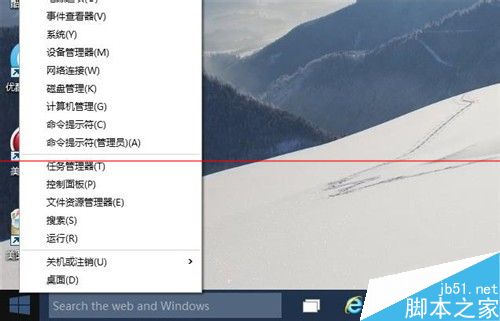
執行視窗

輸入 dxdiag

dxdiag 系統頁

系統資訊詳情

下一頁按鈕

顯示卡硬體資訊

兩法互補:設定頁快速掌握核心規格,dxdiag 深入顯示卡與聲音裝置細節。

Copyright © Windows教程網 All Rights Reserved