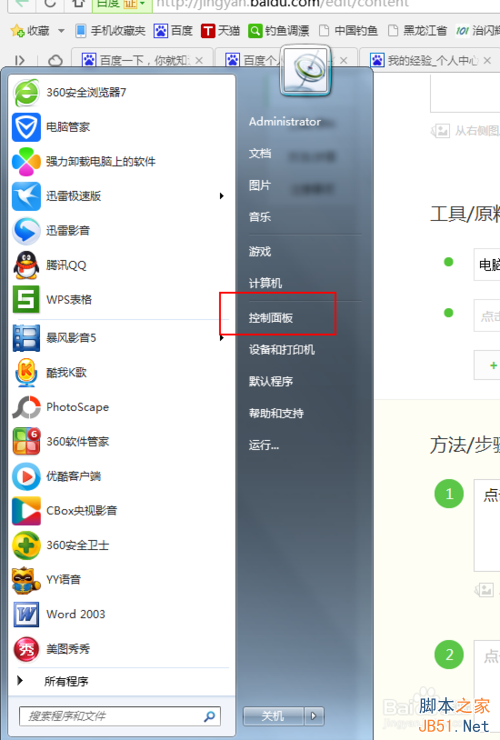
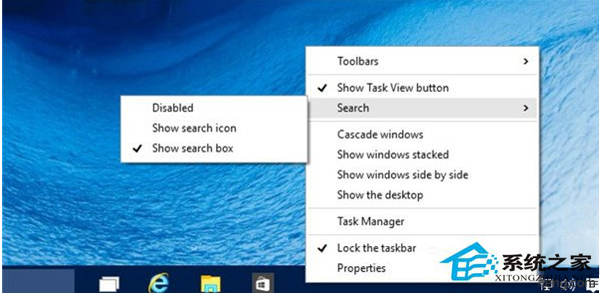
Win10 小娜目前不支援中文,建議暫時停用。方法:
現階段停用省空間,待中文版釋出再啟用不遲。
Windows 10 Build 10130 圖賞:系統圖示優化更美觀,融合扁平與 Vista 風格立體視覺
Windows 10 中使用 slmgr 命令完整指南:查詢授權、激活狀態與進階參數
Win10 RS1 分支 Windows Server 2016 TP4 14267 介面截圖曝光:比桌面版更穩定效能更強
Win10 Build 10102 系統還原與安全模式進入完整教學
Win10 如何安裝字體?單一安裝與批量安裝兩種方法完整圖解
Windows Server 2016 Technical Preview 3 Build 10514 下周推送,桌面版 Windows 10 TH2 Insider 建置版有望同步釋出