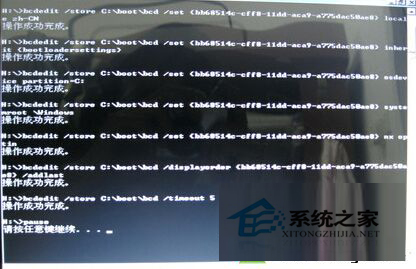
Win7 新裝常遇 BCD 引導錯誤無法開機。無 Windows 引導修復工具時,可用命令腳本修復:
修復BCD引導.bat (假設系統在 C 槽,否則修改 partition=C:)。path C:\Windows\system32
bcdedit /store C:\boot\bcd /create {bb68514c-cff8-11dd-aca9-a775dac50ae8} /d "Microsoft Windows 7" /application osloader
bcdedit /store C:\boot\bcd /set {bb68514c-cff8-11dd-aca9-a775dac50ae8} device partition=C:
bcdedit /store C:\boot\bcd /set {bb68514c-cff8-11dd-aca9-a775dac50ae8} path \Windows\system32\winload.exe
bcdedit /store C:\boot\bcd /set {bb68514c-cff8-11dd-aca9-a775dac50ae8} locale zh-CN
bcdedit /store C:\boot\bcd /set {bb68514c-cff8-11dd-aca9-a775dac50ae8} inherit {bootloadersettings}
bcdedit /store C:\boot\bcd /set {bb68514c-cff8-11dd-aca9-a775dac50ae8} osdevice partition=C:
bcdedit /store C:\boot\bcd /set {bb68514c-cff8-11dd-aca9-a775dac50ae8} systemroot \Windows
bcdedit /store C:\boot\bcd /set {bb68514c-cff8-11dd-aca9-a775dac50ae8} nx optin
bcdedit /store C:\boot\bcd /displayorder {bb68514c-cff8-11dd-aca9-a775dac50ae8} /addlast
bcdedit /store C:\boot\bcd /timeout 5
pause執行後重建引導,保留 bat 檔備用。
Win7 不顯示縮圖怎麼辦?取消「永遠顯示圖示」並清理 C 槽徹底解決
Windows 7 架設無線路由器(軟體 AP)教學:筆電變身 Wi-Fi 熱點供手機上網
Win10 開始選單捷徑怎麼刪除/新增/取消固定?完整圖文操作指南
Windows 10 正式版提示「您目前無權存取此資料夾」解決方案:取得擁有權完整教學
Win10 開機顯示「client mac addr...」網卡開機提示?BIOS 關閉網路開機並調整硬碟優先序
Windows 10 真內建 DirectX 12 嗎?用 dxdiag 查看實際版本號
Win10 Insider Preview 10532 內建「郵件」App 更新 回歸 Win8 早期「依對話排列」切換選項