排除路由器與驅動程式問題後,Win8 無線受限常因網卡電源管理導致:
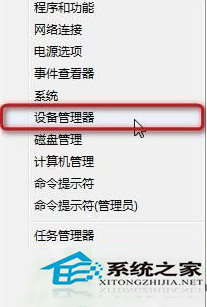
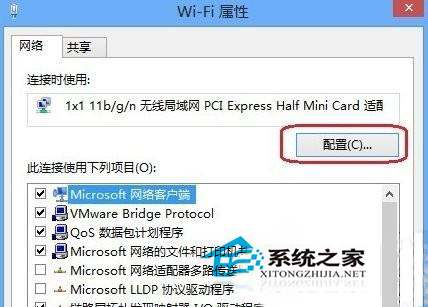
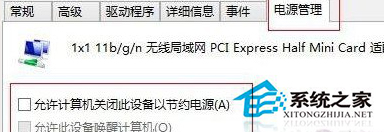
此設定可防止網卡進入省電狀態導致連線中斷,問題即迎刃而解。
Win10 設定自動登入:netplwiz 取消「使用者必須輸入使用者名稱和密碼」→ 輸入帳號密碼確認
Windows 常用網路指令大全:ipconfig、ping、arp、netstat、nslookup、tracert 完整用法
Win10 Mobile 14393.5:小娜語音助手關閉選項被移除,隱私如何自處?
Windows 截圖工具 SnippingTool 報錯「未在計算機上運行」?註冊 InkObj.dll 和 TPCPS.DLL 修復
Windows 10 內建「照片」App 整理電腦照片建立電子相簿完整教學