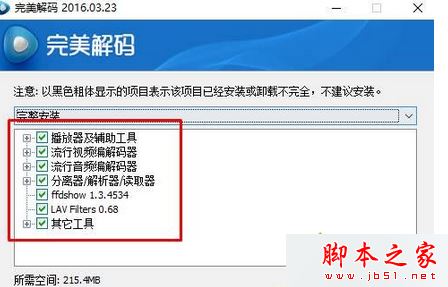
Win7 內建 Windows Media Player 撥放 MP4 只有聲音無畫面,主因是缺少解碼器。最簡單解法:安裝 完美解碼,內建強大解碼器支援幾乎所有影音格式。
相關閱讀:
裝上完美解碼,Windows Media Player 瞬間變身萬能播放器,再也不用為格式不支援煩惱!
Windows 8 上網提速:群組原則修改 QoS 預留頻寬從 80% 降至 10%
Win10 Insider 計畫加快推送節奏:建議一般用戶改選「慢速通道」避險
Win10 桌面圖示盾牌圖示移除法:下載 BAT 執行即可
Win10 不用快捷鍵開啟「執行」工具的兩種實用方法
Win7 網頁遊戲/影片提示「Flash Player 版本過低」?控制台 Flash 設定一鍵更新
Mac 磁碟權限修復有什麼用?何時需要、如何操作完整說明
Win7 ADSL 閒置自動斷線解決:關閉「閒置時間」設定
Win7 如何用 Ping 指令測網速、診斷斷網?圖文教學從入門到精通