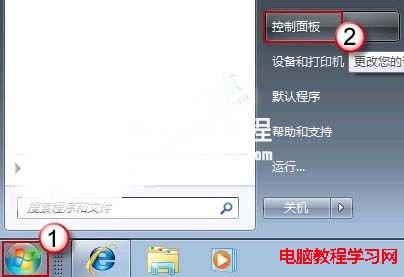
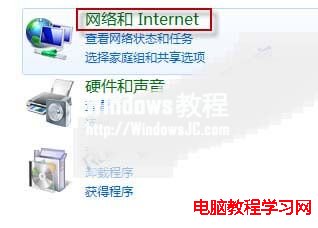
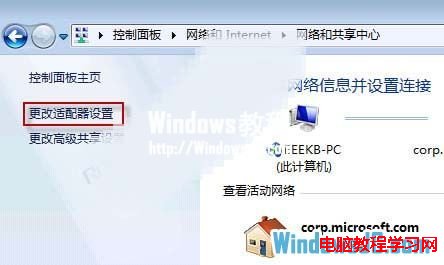
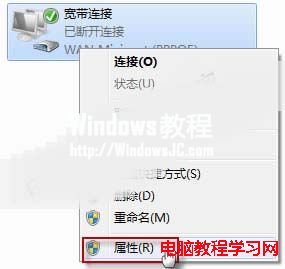
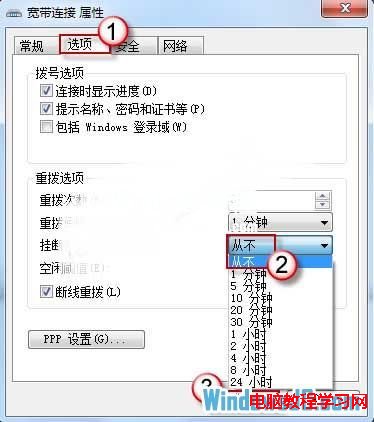
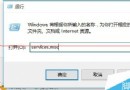
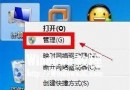
Win7 撥號上網若無流量一段時間自動斷線,多半是「撥號連線屬性」中啟用了「閒置多少分鐘掛斷」。將其改為「從不」即可解決。
設定後 ADSL 連線將不再因閒置自動中斷。
Win7 開機提示音關閉教學:輕鬆設定靜音開機
Windows 7 開啟虛擬 WiFi 熱點分享網路連線
Win10 如何取消開機密碼?netplwiz 快速設定免輸入登入
Windows 8 Metro 開始畫面底紋與配色自訂教學
Win10 Mobile 10572 隱藏新功能:應用程式商店下載進度條回歸,列表中即時顯示進度
Win10 預覽版 14251 更新內容與已知問題完整匯總:修復遊戲閃退、DPI 崩潰,但 Edge F12 工具仍無法載入
Win8 徹底移除內建 Metro 應用:DISM 指令移除佈建套件
電腦右下角 Win10 免費升級提示圖示如何刪除?解除安裝 KB3035583