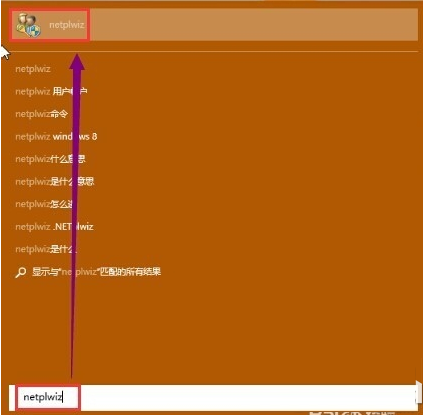
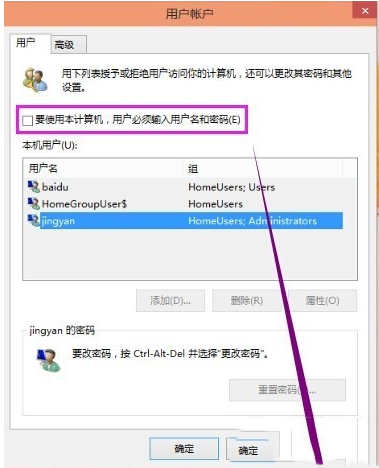
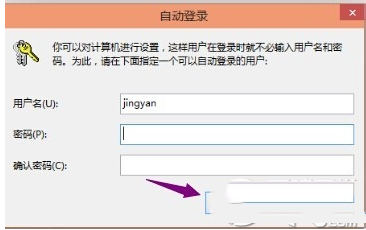
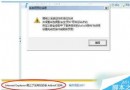
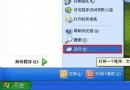
Win10 安裝時設定的開機密碼想移除?使用 netplwiz 指令即可快速實現免密碼自動登入(適用 Win2000 以上所有版本)。
netplwiz
注意:共用資料夾、印表機等網路資源存取時仍需輸入密碼驗證。
Win10 什麼時候發售?發售時間與價格介紹(含 OEM 價)
Win7 藍屏 0x0000116 錯誤代碼?顯卡驅動不匹配或硬體故障,重裝驅動多數可解
Win8 安裝到 USB 隨身碟/行動硬碟:Windows To Go 攜帶專屬系統,走到哪用到哪
Win10 每天固定時間自動開機?關閉「自動維護喚醒」即可解決
注意!Win10 升級必裝 KB3025380,否則收不到 Build 9926 推送
Windows 10 Build 9926 切換新版圓形頭像登入介面註冊表修改法
Win10 系統升級中國新夥伴:百度加入戰略合作行列
Windows 8 家庭組功能完整教學:輕鬆實現跨裝置檔案共享