Win7 內建 Flash Player (ActiveX/PEPPER) 需定期更新,舊版會被網站封鎖。透過控制台 Flash 設定管理器即可檢查並安裝最新版。
更新步驟
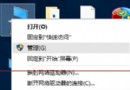
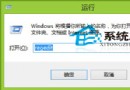
- 「開始」→「所有應用程式」→「Windows 系統」→「控制台」。
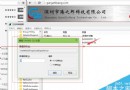
- 檢視方式改「大圖示」→ 找「Flash Player (32 位元)」或「Flash Player」→ 開啟。
- 「更新」索引標籤 → 按「立即檢查」→ 有新版自動下載安裝 → 完成關閉。
注意: Adobe 已於 2020/12/31 終止支援 Flash Player,現代瀏覽器 (Edge/Chrome/Firefox) 已移除 Flash 支援。若仍需執行舊版 Flash 內容,建議使用獨立播放器 (Flash Player Projector) 或虛擬機舊版瀏覽器,並留意安全風險。