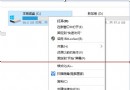
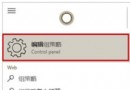
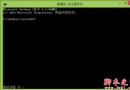
從網路下載的安裝檔 (如迅雷看看) 常被 Windows 標記「來自另一台電腦」,導致安裝程式無法存取資源而卡住。兩步驟解除限制。
Win10 TH2 允許企業用戶關閉所有遙測數據收集,但微軟不建議這樣做
慎用Win10 PIN碼登入!9926版無法刪除、無法登入,建議配合Win8.1設定使用
Win10 開始選單、工作列、音量、網路圖示左鍵無反應?PowerShell 重註冊 AppX 修復教學
Win10 Build 10122 高清截圖圖賞:新版開始菜單、Edge 新標籤頁、30+ 圖直觀感受變化
Win10 Windows Hello 臉部辨識登入設定完整教學:硬體需求與操作步驟
Windows 7/8 安裝新硬體如何跳過 Windows Update 直接安裝驅動程式?完整教學