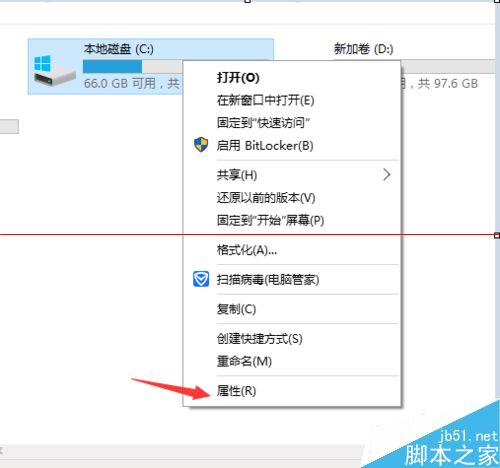
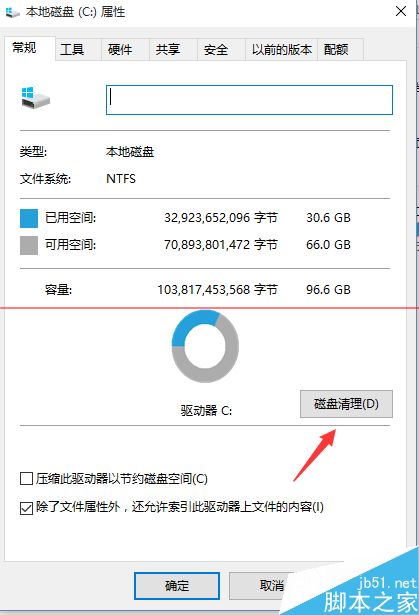
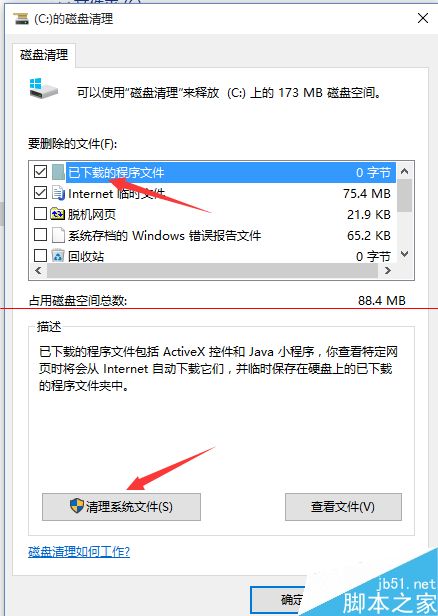
升级成功且确定不回滚,可清理释放十余 GB 空间:
Windows.old
警告: 删除后无法回滚至旧系统,请确认稳定后再操作。建议保留 30 天回滚窗口期满再清理。
Win7 如何設定定時自動關機?建立捷徑指令一鍵執行
Win10 關閉特定硬體驅動自動更新:註冊表 + PowerShell 精準封鎖教學
Windows 10 原支援 SD 卡安裝應用,微軟宣布延期:時機不成熟,預計秋季隨 Threshold Wave 2 更新釋出
聯想筆電 Win7 在 BIOS 中啟用內建網卡教學
Win10 15002官方ISO鏡像下周發布:唐娜姐確認制作中,附自制版下載替代方案
Windows 10 隱藏空的光碟/磁碟機圖示設定教學
Win10 工作列假死、開始鍵無反應?PowerShell 一鍵重註冊 UWP 應用修復
Win10 開機啟動項管理完整教學:任務管理器、啟動資料夾、登錄檔三大法