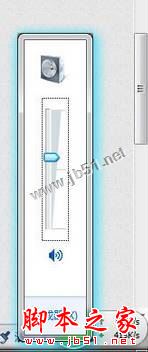
Win7 工作列小喇叭點擊沒反應、音量調節條不彈出,通常是 systray.exe 未隨系統啟動。透過登錄表在啟動項新增 Systray 指向系統檔案,重開機即可修復。
systray.exe
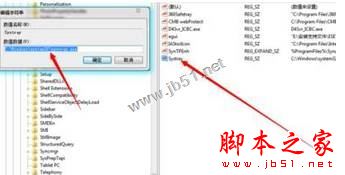
Systray
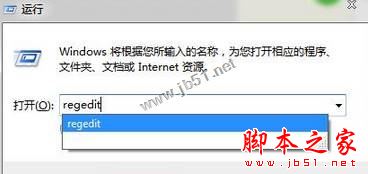
regedit
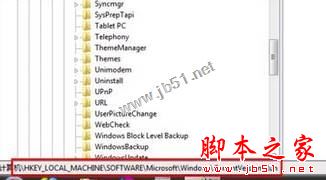
HKEY_LOCAL_MACHINE\SOFTWARE\Microsoft\Windows\CurrentVersion\Run
C:\Windows\System32\systray.exe
此問題常見於系統優化軟體誤刪啟動項、或病毒清除後遺症,補回啟動項即可一勞永逸。
Win10 系統怎麼關閉 Superfetch 服務?禁止 Superfetch 自啟動教程
Win 10 磁碟分區合併操作完整教學:以 E、F 槽為例
用 USB 隨身碟安裝 Windows 7:比光碟更快、更便攜的完整教學
Win8.1 如何手動檢查更新?控制台 Windows Update 一鍵掃描安裝
Win7 資源回收筒右鍵選單缺少「內容」選項?群組原則啟用即可恢復
Windows 10 快速存取功能完整指南:固定常用資料夾、追蹤近期檔案
Win10 桌面没“此电脑”图标?个性化→主题→桌面图标设置勾选“计算机”显示
Win8 登入工行網銀「無法顯示此頁」:IE10 安全協定設定修正