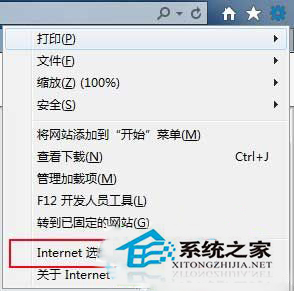
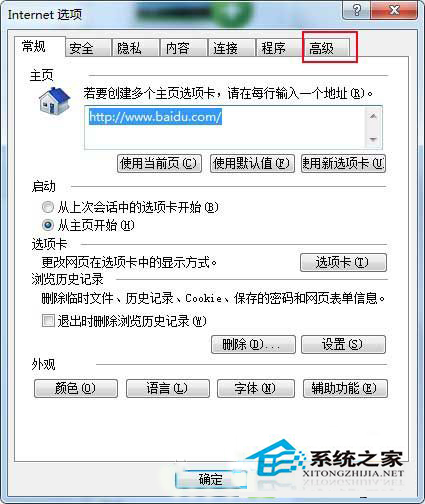
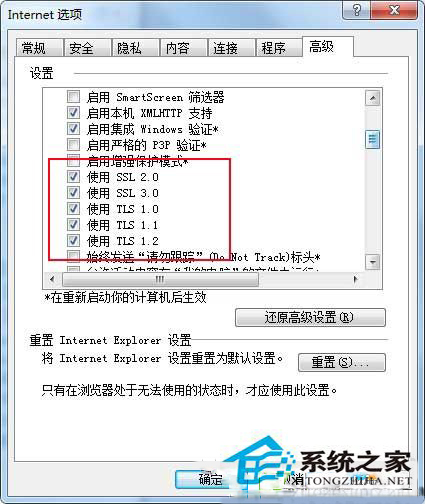
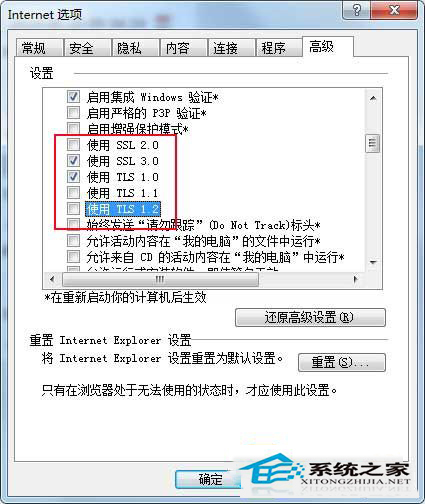
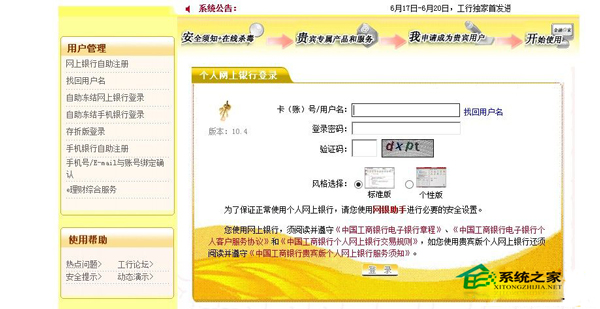
Win8 IE10 登入工商銀行個人網銀出現「無法顯示此頁」,需調整安全協定:
依步驟設定即可正常進入工行網銀。
Win7 查看電腦完整硬體配置五步驟:CPU、記憶體、顯卡、硬碟、系統評分全掌握
Win10 Mobile/PC 版「郵件與行事曆」更新:新增週檢視、深色主題強化、修復附件 Logo 懸掛 Bug
Windows 10 內建「畫圖」工具縮放圖片完整教學:百分比與像素兩種模式
解決 Windows 8 Metro IE 提示「要切換應用程式嗎?」無法開啟網頁
Win10 正式版為什麼沒有休眠選項?找回休眠功能的方法
Win7重裝後卡在「正在啟動Windows」介面?ACPI與Winload.exe兩大修復方案
Win10 不回桌面也能啟動桌面程式:工作列「桌面」工具列技巧
Win7 Word 文件出現錯誤報告無法開啟?刪除 Normal 模板或安全模式重建文件解決