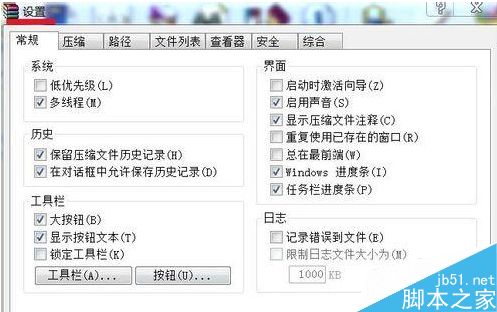
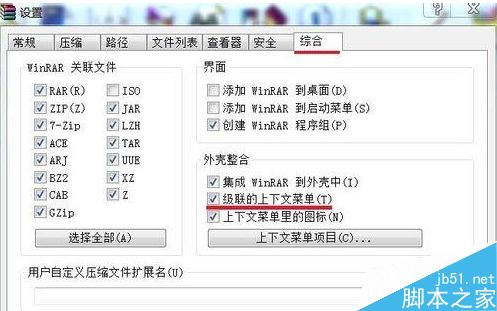
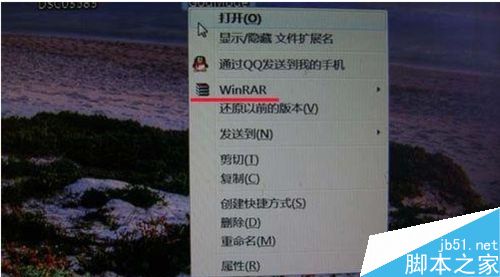
隨著軟體安裝增多,右鍵選單變得臃腫。本文提供兩種整理方式:善用軟體內建「級聯選單」折疊子項、或直接在登錄表刪除不需/殘留的右鍵擴充功能。
路徑:Win + R → regedit → 依序展開 HKEY_CLASSES_ROOT,在以下四個關鍵路徑中尋找並刪除對應的無用鍵值(右鍵刪除):
*\shellex\ContextMenuHandlers(所有檔案通用右鍵)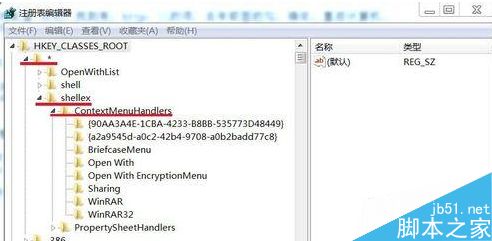
Folder\shell、Folder\shellex\ContextMenuHandlers(資料夾右鍵)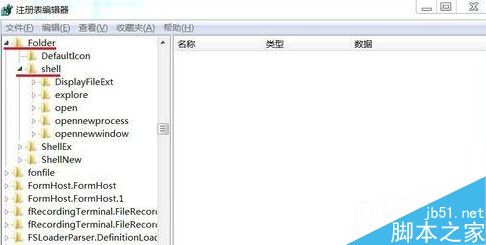
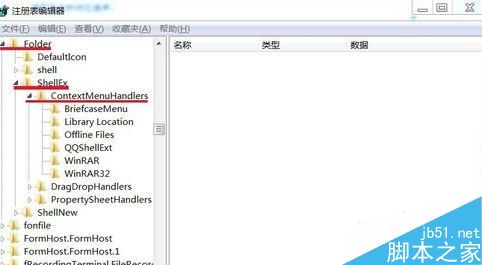
Directory\shell、Directory\shellex\ContextMenuHandlers(目錄背景右鍵)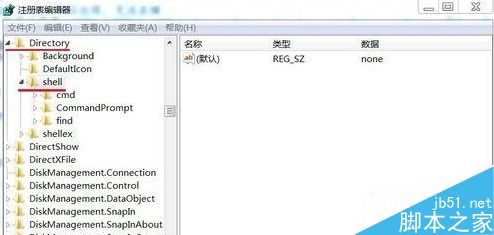
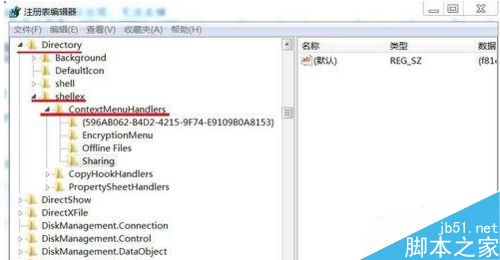
Directory\Background\shellex\ContextMenuHandlers 刪除 igfxcui(保留 New),重開機生效。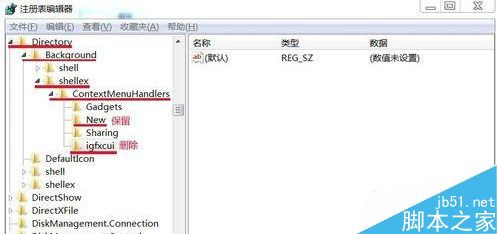
操作前建議匯出登錄表備份,誤刪可匯入還原。習慣定期整理右鍵選單,保持系統清爽高效。
Win10 Build 9841 如何升級到 Build 9860?Modern 介面 Windows Update 手動檢查升級教學
Win7 取消開機登錄界面:netplwiz 取消「用戶必須輸入用戶名和密碼」實現自動登錄
Windows 10 關閉自動維護功能:登錄修改釋放系統資源
使用虛擬光碟機掛載 ISO 安裝 Windows 8 完整圖文教學
WindowsApps 資料夾無法開啟?Win8 取得權限完整教學:顯示隱藏 → 安全性 → 進階 → 變更擁有者 → 編輯權限
微軟重申:Win7/8.1 升 Win10 後不採年費制,首次安裝必須為升級模式才能自動繼承授權
Windows 7 取消開機登入畫面直接進入桌面:control userpasswords2 與登錄/群組原則替代方案