Windows XP Windows 7 Windows 2003 Windows Vista Windows 綜合教學 Linux 系統教學
Windows 10 Windows 8 Windows 2008 Windows NT Windows Server 電腦軟體教學
您现在的位置: Windows教程網 >> Windows教程 >  >> Windows 綜合教學 >> 關於 Windows

Win10 Build 9841 如何升級到 Build 9860?Modern 介面 Windows Update 手動檢查升級教學

編輯:關於 Windows

Windows 10 技術預覽版 Build 9860 釋出,但無法在傳統「Windows Update」直接看到,必須透過 Modern 介面「電腦設定」→「更新與復原」→「預覽版本」進行升級。以下為完整圖文步驟。

升級路徑總覽

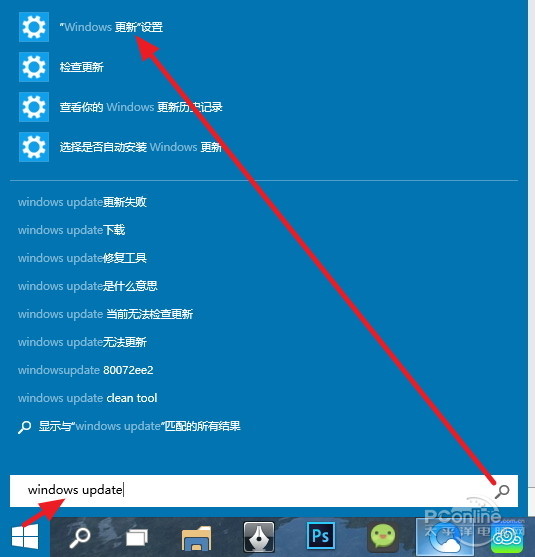
開始 → 搜尋「Windows Update」 → 「Windows 更新」 → 左上角「返回」箭頭 → 「預覽版本」 → 「立即下載」
圖文步驟

搜尋 Windows Update
▲ 步驟 1:開始功能表搜尋「Windows Update」

Windows 更新介面
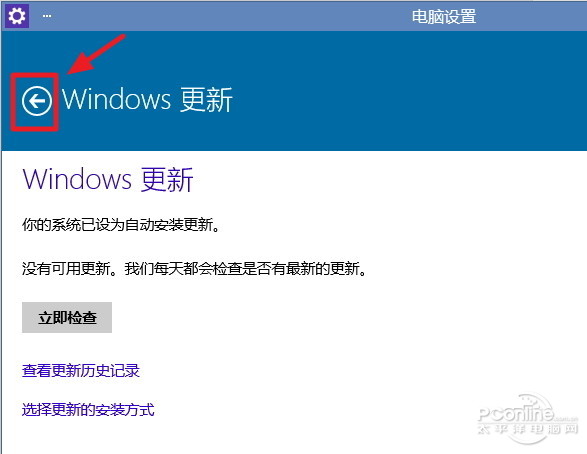
▲ 步驟 2:進入「Windows 更新」,點擊左上角返回箭頭

點擊預覽版本
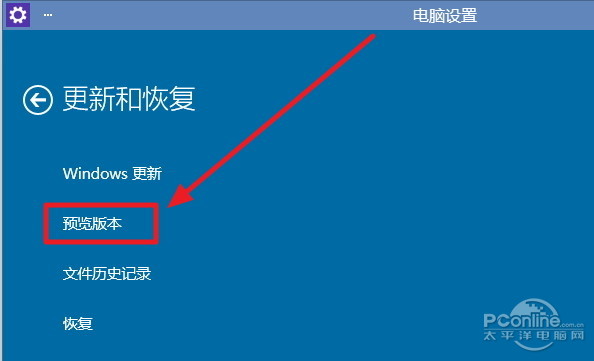
▲ 步驟 3:點擊「預覽版本」(非「Windows 更新」)

立即下載
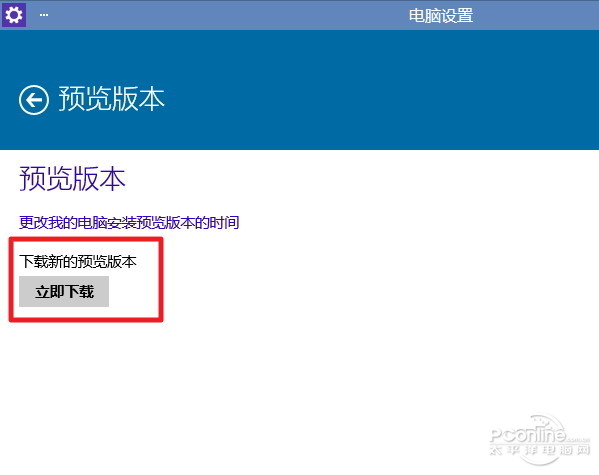
▲ 步驟 4:點擊「立即下載」開始升級

下載速度極慢
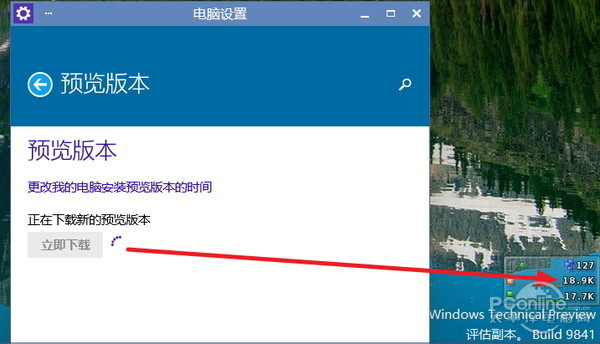
▲ 步驟 5:下載速度僅幾十 KB/s,2-3 GB 需極長時間

避坑指南

  • 升級檔 2-3 GB,官方伺服器頻寬有限,下載極慢(僅幾十 KB/s),建議離峰時段或夜間下載。
  • 下載過程可繼續使用電腦,不影響作業。
  • 若長時間無法檢查到更新,可嘗試切換 Insider 設定為「快速」頻道,或等待官方推送。
Copyright © Windows教程網 All Rights Reserved