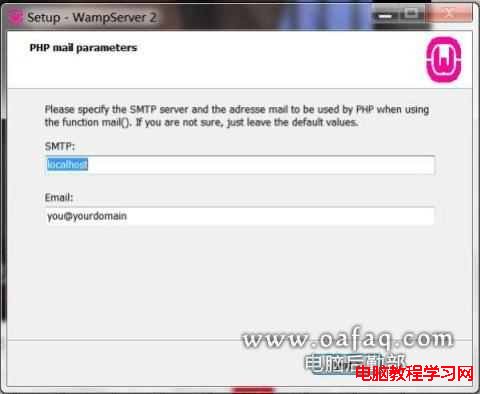
雖然 Linux 是 PHP 部署的首選,但在 Windows 7 上透過 WAMP(Windows + Apache + MySQL + PHP)同樣能快速建立開發環境。本文以 WAMP 為例說明安裝與常見問題排解。
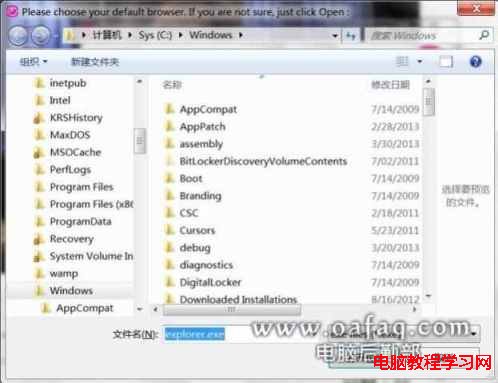
C:\Windows\explorer.exe
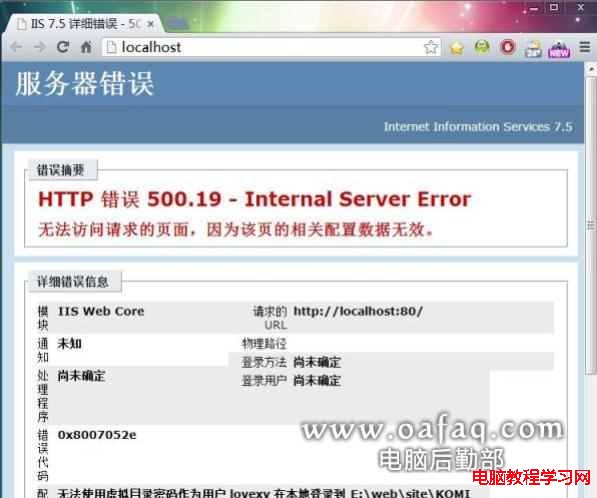
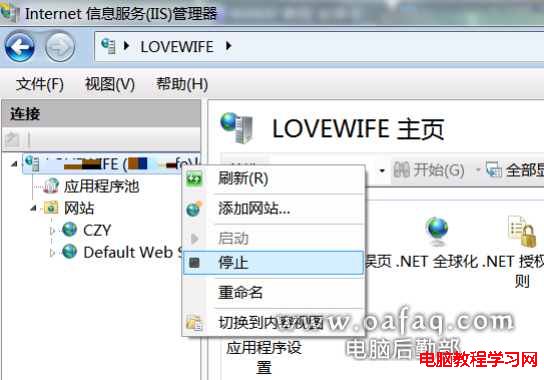
通常是因為 IIS 佔用了 80 埠。解決方法:
inetmgr
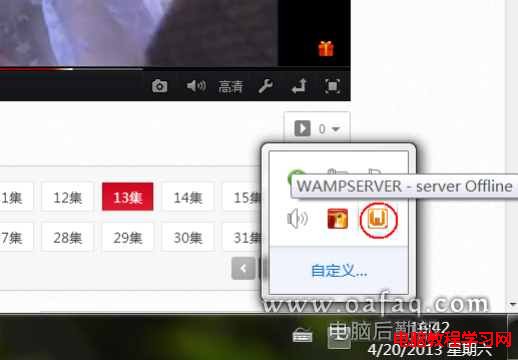
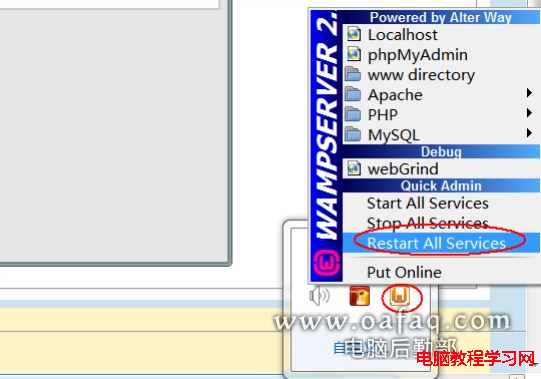
重啟後 WAMP 圖示應轉為綠色,localhost 即可正常開啟。
localhost
Win10 預覽版 9880 官方鏡像下載資訊彙整
Win10 檔案總管導覽列隱藏 USB 隨身碟?修改登錄一鍵搞定
Win10 新增 VPN 連線完整圖文教程:幾步搞定虛擬專用網路設定
調整 Windows 8 外接螢幕畫面位置
Win7 啟用後網路服務異常?RPC/Plug and Play 服務檢查與網路屬性重置
Win8.1 開啟 Photoshop 即藍屏?三大排查:記憶體、硬碟壞軌、ntfs.sys 替換
Win10 滑鼠靈敏度調整教學:兩種方法設定游標速度、雙擊速度與滾輪
Win8.1 桌面喇叭圖示消失?工作列屬性→通知區域自訂→開啟系統圖示「音量」