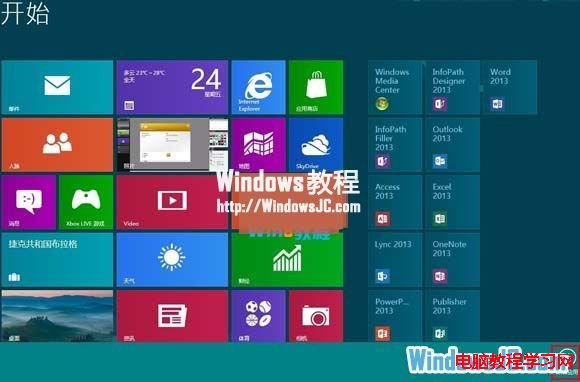
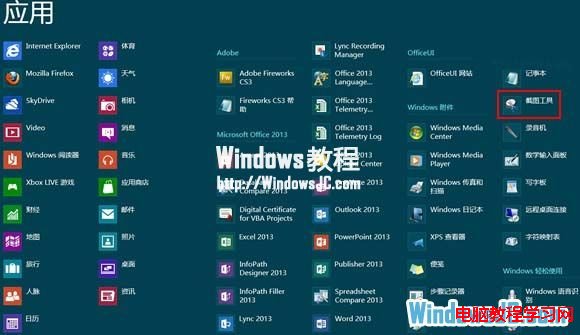
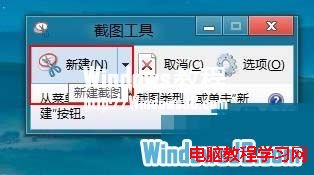
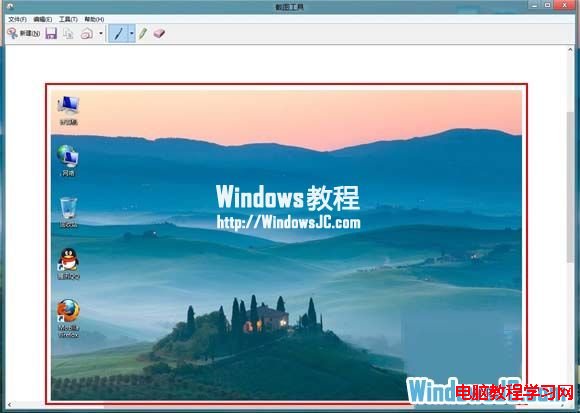
Windows 8 內建「截圖工具」可快速擷取螢幕畫面,操作簡單:
Win7關閉任務排程器服務的非常規方法:透過禁用相依服務實現
Win10 週年更新 RTM 預覽版 14393.5 曝光:下周推送鎖定 14393 分支
Windows 8 輸入法切換鍵位調整:恢復類 Win7 體驗
Windows 8.1 數字小鍵盤開機自動開啟:註冊表一鍵設定
.NET Native 深度解析:Win10 通用應用效能飛躍的關鍵技術
Surface Pro 3 / Surface 3 獲韌體更新,優化 Wi-Fi、藍牙並支援 Windows 10 新功能
Win10 徹底清空回收站釋放硬碟空間:刪除隱藏 S-1-5 系統資料夾
XP 系統無法格式化 C 槽?因在系統執行中無法操作,需用安裝媒體啟動格式化