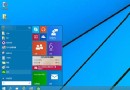
Windows 8 連接外接螢幕後,可透過螢幕解析度設定拖曳調整兩螢幕相對位置,符合實際桌面擺放邏輯。
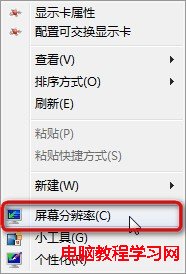
1、桌面空白處右鍵 →「螢幕解析度」。
2、在圖示化介面中拖曳任意螢幕圖示至正確相對位置 (左/右/上/下)。
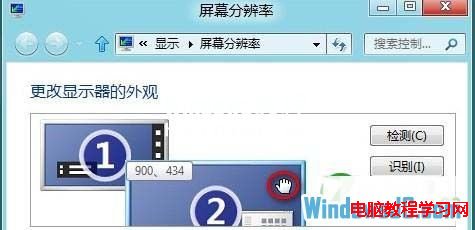
3、確定套用,螢幕會閃一下後生效。
Win10 安裝 XAMPP 後 Apache 無法啟動?修改 httpd.conf 端口避開 80/443 衝突
Windows 7 群組原則優化:停用 NetMeeting、Media Player、錯誤回報、行動中心、家庭群組等非必要元件
Win7 新增網路印表機完整圖文教學:從「裝置和印表機」三步驟完成設定
IE8 無法顯示 PNG 圖片?匯入登錄檔修復 MIME 類型關聯
Win7 IE 瀏覽器每次開啟都要重新登入?Internet 選項設定錯誤導致 Cookie 遺失完整修復
Windows 7 插入 USB 裝置不自動播放?一鍵恢復自動播放功能